How to hide the last name field in a pipeline view in Folk
Here is how to hide the last name field in a pipeline view in folk
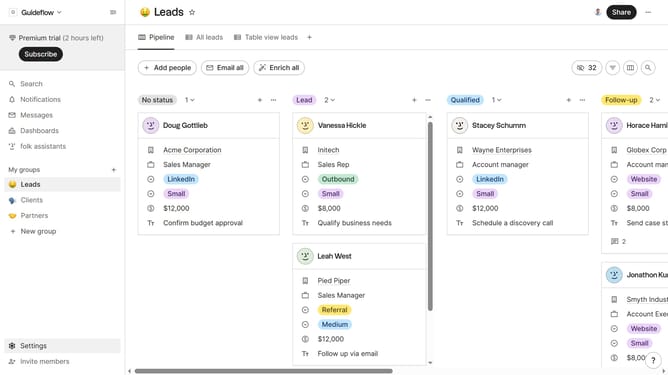
- First, click on a pipeline view where you want to hide the "Last name field"
- Then click on the view icon in the top right of the page
- Finally click on the "Hide" icon next to "Last name" in the dropdown menu
Why should you hide the last name field in a pipeline view in Folk
Folk is a dynamic tool designed for seamless team collaboration and efficient contact management.
In Folk, hiding the last name field within a pipeline view focuses your workflow on the most relevant information. By customizing visibility settings, teams can streamline their views and reduce visual clutter, ultimately increasing productivity.
This level of customization also aligns with privacy concerns, allowing users to manage their data display according to their personal and organizational needs.
Utilizing this feature encourages a more organized and tailored workflow, fostering better user experience within collaborative environments.
Last update