How to hide the addresses (company) field in a pipeline view in Folk
Here is how to hide the addresses (company) field in a pipeline view in folk
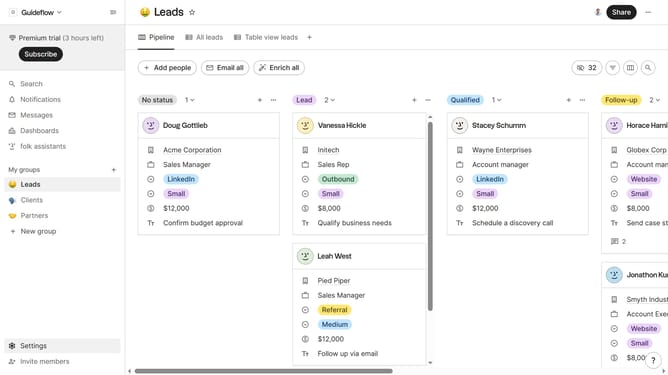
- First, click on a pipeline view where you want to hide the "Addresses (company) field"
- Then click on the view icon in the top right of the page
- Next, scroll down in the dropdown menu
- Finally click on the "Hide" icon next to "Addresses (company)" in the dropdown menu
Why should you hide the addresses (company) field in a pipeline view in Folk
Folk is an intuitive platform designed to streamline collaborative workflows and enhance team productivity.
One of the standout features in Folk is the ability to customize your pipeline view by hiding the addresses (company) field. This feature allows users to focus on the most relevant information without unnecessary distractions.
By simplifying the display, teams can enhance their efficiency, concentrating on key data that drives progress. This streamlined view not only supports better decision-making but also reduces cognitive load and boosts operational clarity.
Last update