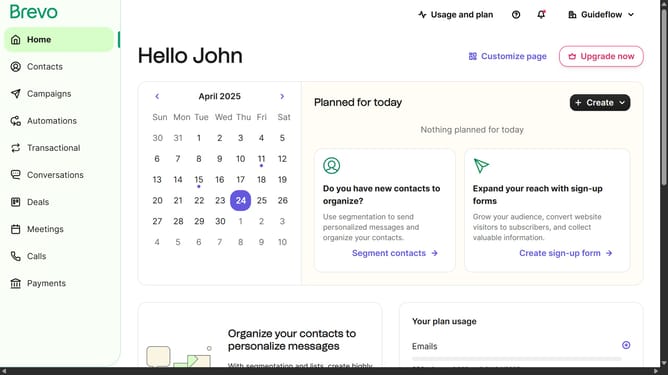
How to generate a new SMTP key in Brevo
Here is how to generate a new smtp key in brevo
- First click on the "Guideflow" button in the top-right header menu
- Then click on "SMTP & API" option in the dropdown menu
- In the top-right section of the SMTP & API page, click on the "Generate a new SMTP key" button
- In the modal window that appears, click on the text input field to enter your SMTP key name
- After entering "Backup Password" as the key name, click the "Generate" button in the modal window
- Once the SMTP key is generated, click the "OK" button to close the confirmation modal
Why should you generate a new SMTP key in Brevo
Brevo is an innovative platform designed to streamline your communication and marketing strategies.
Generating a new SMTP key in Brevo enhances your email security by offering an additional layer of protection for your outgoing messages.
This feature allows for seamless integration with your existing systems, ensuring reliable and efficient email delivery.
By utilizing a new SMTP key, you ensure that your email communications remain secure and align with industry standards, ultimately improving trust and deliverability.
Last update