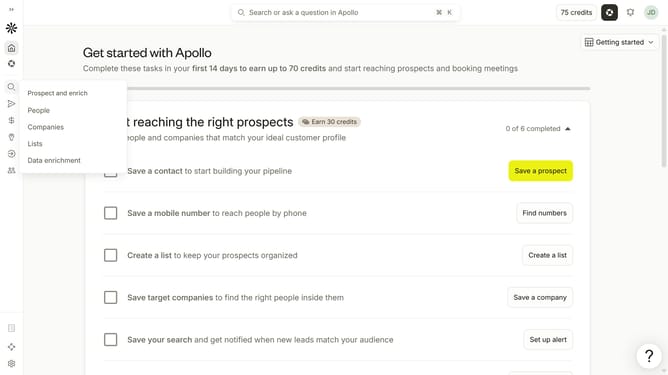
How to filter contacts if the number of employees are unknown in Apollo
Here is how to filter contacts if the number of employees are unknown in apollo
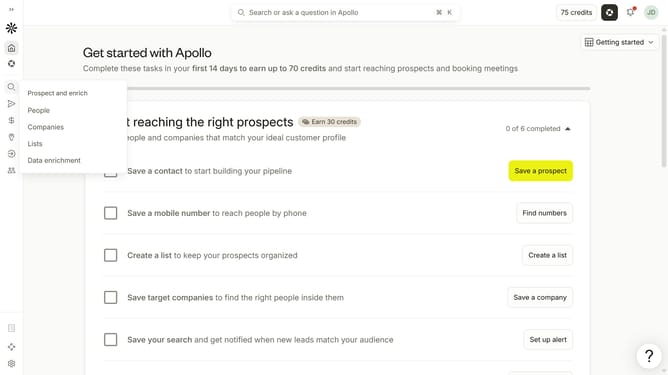
- First click on the search icon in the left sidebar
- Then click on the "People" option from the dropdown menu
- Next, click on the dropdown arrow next to "# Employees"
- Finally click on the "# of employees is unknown" radio button
Why should you How to filter contacts if the number of employees are unknown in Apollo
Apollo is a cutting-edge platform designed to enhance sales engagement and drive business growth through data-driven insights.
When the number of employees for a contact is unknown, filtering in Apollo allows you to maintain a focused and relevant contact list without missing opportunities. By leveraging other available data points, you ensure your outreach is effectively targeted.
This feature optimizes your resource allocation, enhancing efficiency, and ensuring you connect with the most promising leads. Using Apollo's filtering capabilities empowers you to refine your strategy, adapt to dynamic datasets, and stay ahead in competitive markets.
Last update