How to export a Workdoc in Monday.com
Here is how to export a workdoc in monday.com
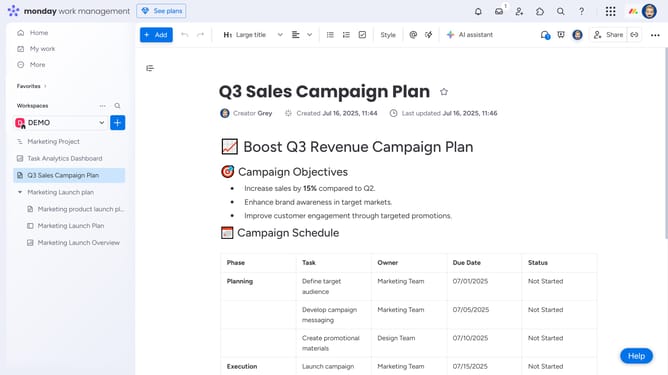
- First open the Workdoc you want to export from the left sidebar
- Next click on the "More options" button (three dots) in the top-right corner of the document
- Click on "Export" option in the dropdown menu
- Then in the Export submenu, select your preferred format (Word or PDF)
- If you selected PDF, choose the page orientation in the Export to PDF dialog
- Next, you can select the specific pages you'd like to export
- Finally click "Export" button to download the PDF file to your device
Why should you export a Workdoc in Monday.com
Monday.com is a versatile work operating system designed to streamline workflows and enhance team collaboration.
The feature of exporting a Workdoc in Monday.com allows users to effortlessly take their work beyond the platform without losing valuable information.
This capability empowers teams to share their insights and progress externally, fostering collaboration and transparency with stakeholders who may not be on the platform.
Ultimately, exporting Workdocs ensures that vital information is accessible and adaptable to any environment or software.
Last update