How to enable suggested replies in Microsoft Teams
Here is how to enable suggested replies in microsoft teams
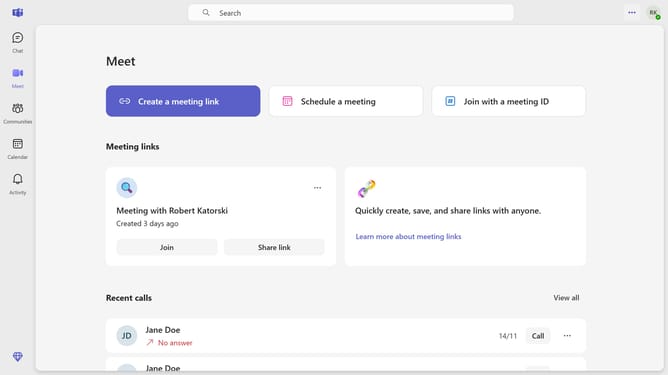
- First click on the ellipsis button in the top-right corner of the Teams window
- Then settings from the menu that appears
- Next scroll down in the General settings
- Finally toggle off the "Suggested replies" option in the General settings panel
Why should you enable suggested replies in Microsoft Teams
Microsoft Teams is a dynamic hub that streamlines communication and collaboration within organizations.
The "Suggested Replies" feature in Microsoft Teams enhances your messaging efficiency by providing quick, intelligent responses tailored to your conversations.
By activating this feature, you'll enjoy increased productivity as it reduces the time spent on crafting responses and allows for faster, more efficient communication.
This function is particularly beneficial in fast-paced environments where swift decision-making and communication are essential.
Last update