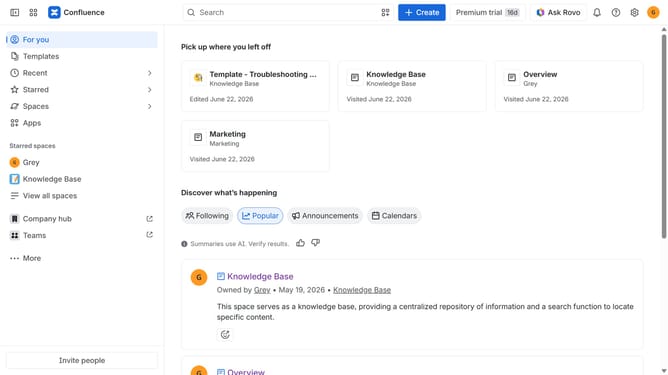
How to enable shortcuts in a Confluence space
Here is how to enable shortcuts in a confluence space
- First click on "Spaces" in the left sidebar
- Next click on the "View all spaces" option
- From the list of spaces, select the space you want to manage features for
- Then click on the "three dots" button next to the space name in the sidebar
- From the dropdown menu, select the "Space settings" option
- Next click the "General" menu in the left sidebar
- Select "Features" from the submenu
- Then, locate the “Shortcuts” feature
- Finally, turn on the toggle next to "Shortcuts" to enable it
Why should you enable shortcuts in a Confluence space
Confluence is a powerful collaboration tool designed to streamline team documentation and enhance project management.
Enabling shortcuts in a Confluence space is a game-changer for productivity. This feature allows users quick access to frequently used pages, bringing key information to your fingertips.
With shortcuts, you effortlessly minimize time spent navigating, allowing more focus on creating and collaborating. By adopting this feature, teams experience a smoother workflow and increased efficiency.
Last update