How to change the default page width for your users in Confluence
Here is how to change the default page width for your users in confluence
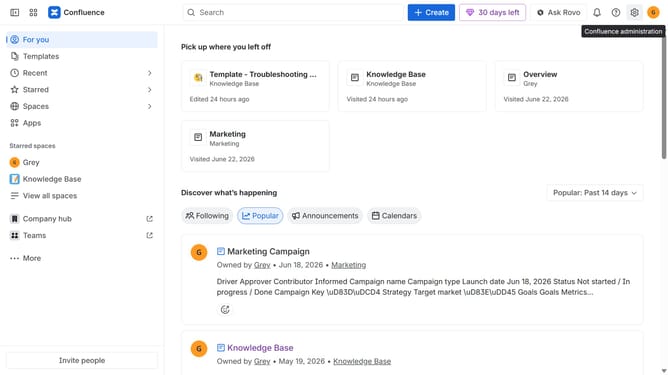
- First click on the gear icon in the top right header
- Find "Settings" in the Confluence administration menu
- Next click on "Configuration"
- After that, select "General configuration" in the submenu
- In the Confluence setup section, locate the "Set the default page width for your users" setting
- Then, select your preferred page width option
- Finally scroll down and click on the "Save configuration changes" button
Why should you change the default page width for your users in Confluence
Confluence is a dynamic collaboration tool designed for teams to create, share, and manage knowledge efficiently.
Changing the default page width in Confluence allows teams to tailor their viewing experience, enhancing clarity and focus on content.
This feature ensures that documents are visually appealing and easy to navigate, promoting smoother collaboration and productivity.
By customizing the viewing space, users can enjoy a cleaner, more organized workspace, which ultimately contributes to better communication and idea sharing.
Last update