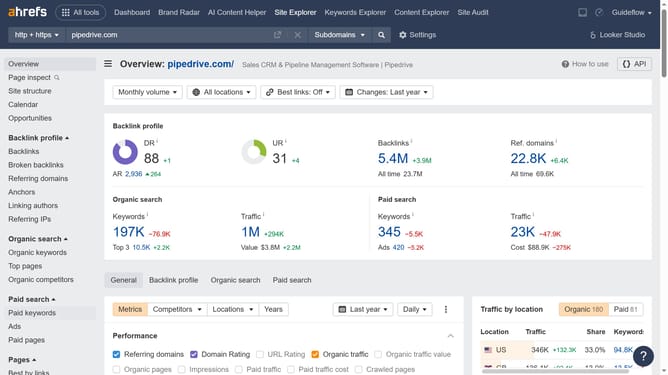
How to download competitor ad reports from Ahrefs
Here is how to download competitor ad reports from ahrefs
- First click on "Site Explorer" in the top navigation menu
- In the search bar, click the domain input field to enter the competitors URL
- Click the "Search" button to analyze the URL
- Next click on "Ads" in the left sidebar menu under the Paid search section
- Click on the "Export" button in the top right corner of the ads table
- Finally click on the "Export" button in the export dialog popup to download data in CSV format
Why should you download competitor ad reports from Ahrefs
Ahrefs is a powerful tool designed for enhancing your SEO strategies and marketing efforts.
Downloading competitor ad reports from Ahrefs allows you to gain valuable insights into their advertising tactics. This feature provides a clear view of the keywords your competitors are targeting and the strategies they're deploying, offering a competitive edge.
By understanding your competitors' ad strategies, you can optimize your marketing campaigns and potentially uncover new opportunities for growth. Leveraging this data aids in crafting more informed and effective advertising strategies.
Last update