How to disable rescheduling an event in Cal.com
Here is how to disable rescheduling an event in cal.com
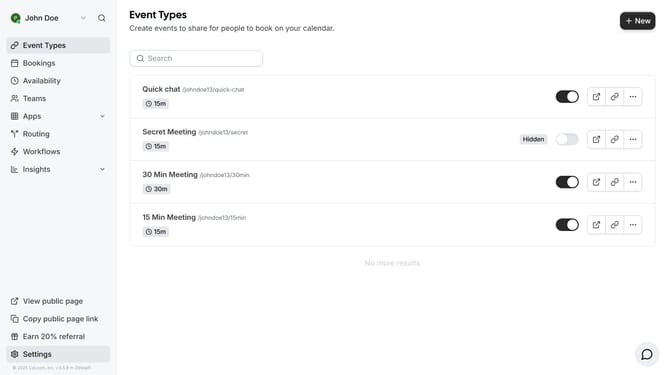
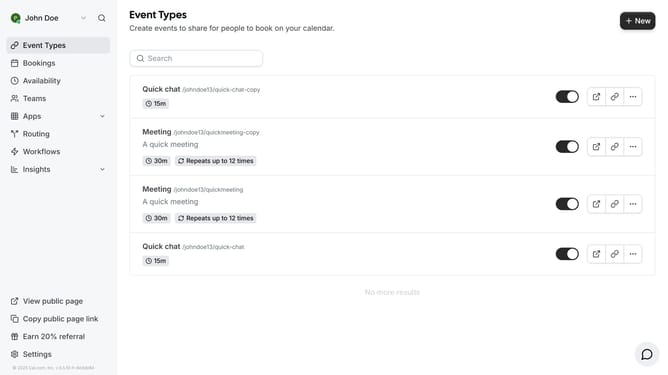
- First click on "Event Types" link in the left sidebar
- Then click on an event in the event types list
- Next click on "Advanced" option in the left settings menu
- Then scroll down in the advanced settings
- Next click on the "Disable Rescheduling" toggle switch
- Finally click on the "Save" button in the top right corner
Why should you disable rescheduling an event in Cal.com
Cal.com is a versatile scheduling platform designed to simplify appointment bookings with ease and efficiency.
The ability to disable rescheduling an event in Cal.com can enhance the control over your calendar management. By restricting rescheduling, you lock in commitments, ensuring that your workflow remains steady and predictable. This feature is particularly beneficial for professionals managing time-sensitive engagements where punctuality and reliability are paramount.
Ultimately, disabling rescheduling can significantly reduce last-minute changes, saving valuable time and effort. It helps maintain a structured agenda, allowing you to focus on high-priority tasks without disruptions.
Last update