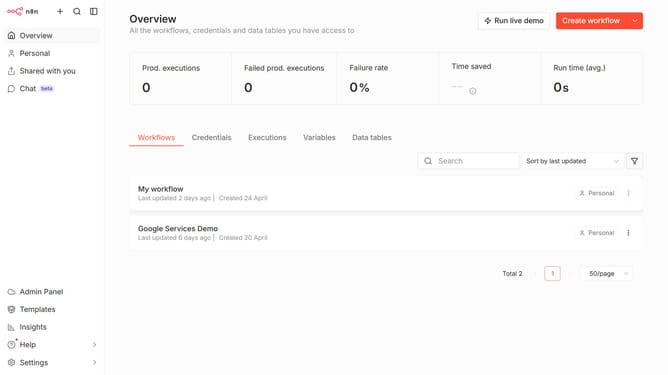
How to create SSH Password credential in n8n
Here is how to create ssh password credential in n8n
- First click on the dropdown arrow next to "Create workflow"
- Then click on "Create credential"
- Then type "SSH"
- Then click on "SSH Password"
- Then click on the "Continue" button
- Then enter the required credential details
- Finally click on the "Save" button
Why should you create SSH Password credential in n8n
n8n is an innovative workflow automation tool designed to streamline and connect different software applications seamlessly.
Creating SSH Password credentials in n8n is integral for securely managing automated workflows that connect to remote servers. This feature allows users to configure SSH connections without needing to expose sensitive information, ensuring a fortified protection layer.
The benefit of using this feature extends to enhanced data security and simplified access management, particularly for complex workflows that require regular server interactions.
Last update