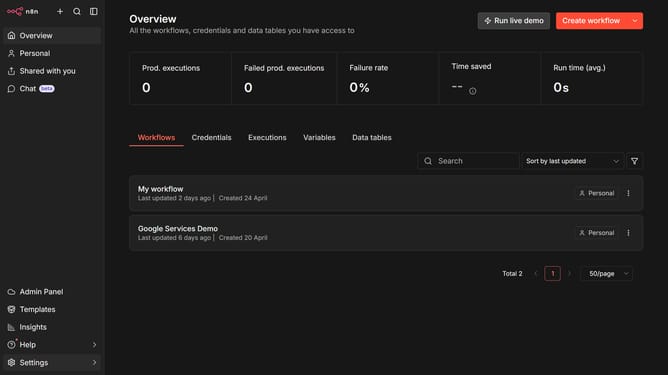
How to create Monday.com API credential in n8n
Here is how to create monday.com api credential in n8n
- First click on the dropdown arrow next to 'Create workflow' button
- Then click on 'Create credential' option
- Next, click on the search input field
- Then type 'Monday' into the search field and click on 'Monday.com API' option
- After that, click on the 'Continue' button
- Then fill in the 'Token V2' input field
- Finally click on the 'Save' button
Why should you create Monday.com API credential in n8n
n8n is a versatile workflow automation tool that connects diverse apps and services seamlessly.
By creating Monday.com API credentials in n8n, you enable a robust integration between Monday.com and your automated workflows.
This feature allows you to securely access and manipulate data from Monday.com, enhancing your productivity through streamlined processes.
Utilizing this integration simplifies task management, ensures real-time data updates, and boosts team collaboration effortlessly.
Last update