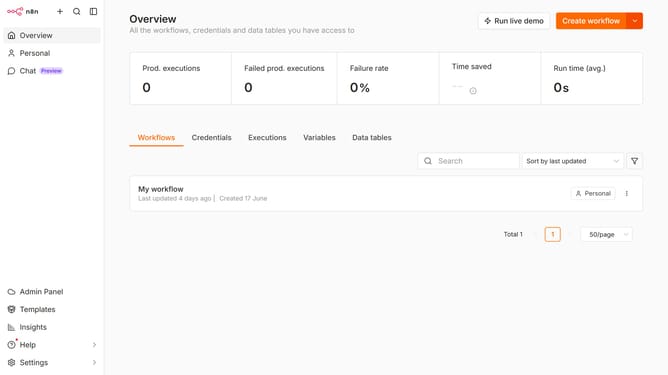
How to create Npm API credential in n8n
Here is how to create npm api credential in n8n
- First, click on the dropdown arrow next to the "Create workflow" button.
- Then click on "Create credential" option.
- Next, click on the "Search for app..." input field and type in "Npm".
- After that, click on the "Npm API" option.
- Then click on the "Continue" button.
- Next, fill in the credential details.
- Finally, click on the "Save" button.
Why should you create Npm API credential in n8n
n8n is a powerful automation tool designed to integrate seamlessly with various services, enhancing workflow efficiency.
Creating an Npm API credential in n8n allows users to access a vast library of packages, enriching their automation capabilities. With these credentials, users can effortlessly manage and utilize Npm resources directly within n8n.
This functionality empowers users to streamline processes and innovate more effectively, ensuring that they have the right tools at their fingertips to boost productivity and deliver results.
Last update