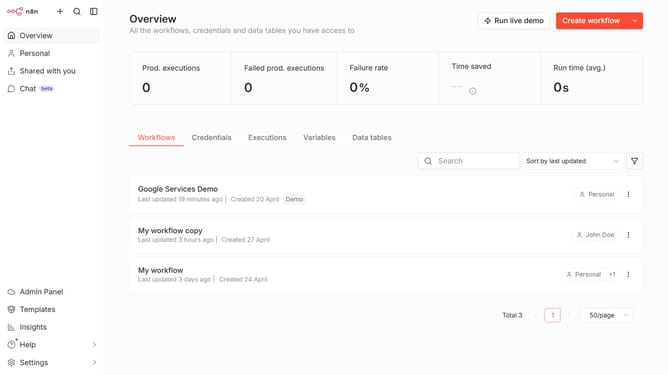
How to create Mattermost API credential in n8n
Here is how to create mattermost api credential in n8n
- First click on the dropdown arrow next to "Create workflow" button
- Then click on "Create credential" button
- Next, in the search field, type "mattermost"
- Then select "Mattermost API"
- After that click on "Continue" button
- Then fill in the necessary input fields
- Finally click on the "Save" button
Why should you create Mattermost API credential in n8n
n8n is a versatile and user-friendly automation tool designed to facilitate seamless integration and workflow management.
Creating Mattermost API credentials in n8n elevates your connectivity, enabling automated interactions with your Mattermost workspace.
By leveraging these API credentials, you unlock a world of possibilities, streamlining communication processes and enhancing collaboration across teams.
Using this feature in n8n ensures that your Mattermost integration is robust, efficient, and tailored to boost productivity and connectivity.
Last update