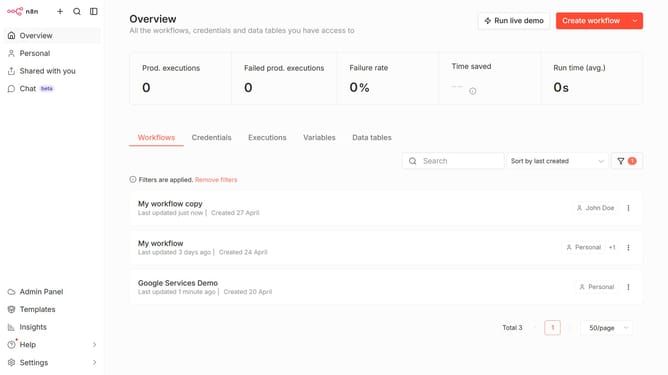
How to create Lemonade credential in n8n
Here is how to create lemonade credential in n8n
- First click on the arrow next to "Create workflow" button
- Then click on "Create credential" button
- Next click on the "Search for app..." input field and enter "lemonade"
- Then click on "Lemonade" option
- After that click on "Continue" button
- Then fill in the "API Key" input field
- Finally click on "Save" button
Why should you create Lemonade credential in n8n
n8n is a powerful automation platform designed to streamline workflows and enhance productivity by connecting different applications seamlessly.
Creating Lemonade credential in n8n allows users to integrate the popular API-driven insurance platform, Lemonade, into their automation workflows effortlessly.
By establishing this connection, users can automate data exchange between Lemonade and other apps, reducing manual tasks and enhancing operational efficiency.
Ultimately, building such credentials in n8n ensures that businesses can enjoy a more organized and productive workflow.
Last update