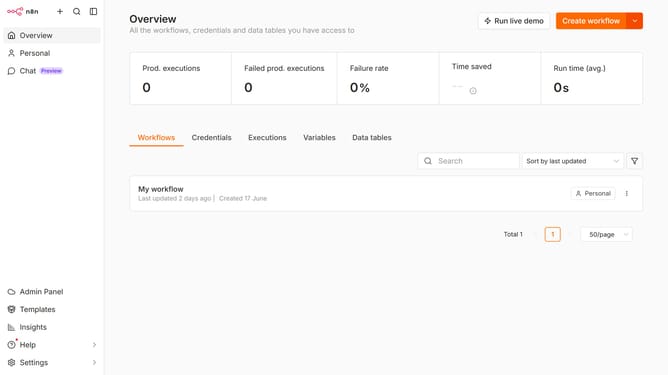
How to create Netlify API credential in n8n
Here is how to create netlify api credential in n8n
- First click on the dropdown arrow next to "Create workflow" button
- Then click on "Create credential" option
- Then enter "Netlify" in the search bar
- Then click on "Netlify API" option
- Then click on "Continue" button
- Then fill in the input field for "Access Token"
- Finally click on "Save" button
Why should you create Netlify API credential in n8n
n8n is a powerful automation tool that empowers you to streamline workflows effortlessly.
Creating a Netlify API credential in n8n is straightforward and opens up numerous opportunities for seamless integrations.
By setting up this credential, you gain the ability to automate processes that involve deploying or managing projects on Netlify, saving time and reducing manual efforts.
Employing this feature ensures that your workflows are more efficient and cohesive, enhancing productivity and maintaining smooth operations.
Last update