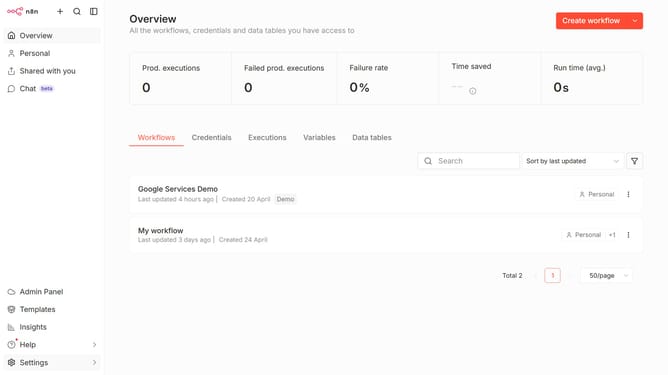
How to create Cockpit API credential in n8n
Here is how to create cockpit api credential in n8n
- First click on dropdown arrow next to "Create workflow" button
- Then click on "Create credential" button
- Then click on "Cockpit API" option
- Then click on "Continue" button
- Then enter your information in the correct input field
- Finally click on "Save" button
Why should you create Cockpit API credential in n8n
n8n is a powerful workflow automation tool designed to connect various apps and services with ease.
The Cockpit API credential feature in n8n plays a pivotal role in streamlining connectivity and automation processes. By creating these credentials, users can effortlessly integrate Cockpit with n8n, ensuring smooth data exchange and heightened efficiency.
This feature enables users to automate repetitive tasks, boost productivity, and reduce the potential for errors, providing a seamless integration experience. Such integration not only saves time but also enhances the accuracy and reliability of automated workflows.
Last update