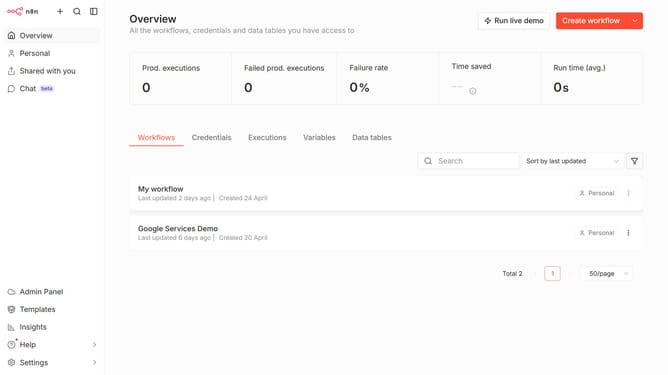
How to create Calendly OAuth2 API credential in n8n
Here is how to create calendly oauth2 api credential in n8n
- First click on the dropdown arrow next to "Create workflow" button
- Then click on "Create credential" button
- Next click on "Calendly OAuth2 API" item
- After that click on "Continue" button
- Then enter the necessary information for your new credential
- Finally click on "Connect to Calendly" button
Why should you create Calendly OAuth2 API credential in n8n
n8n empowers users by automating workflows without the need for extensive coding skills.
Integrating Calendly with n8n through the OAuth2 API credential offers a seamless way to enhance scheduling automation. This feature allows secure access and control over Calendly events and data, facilitating more efficient task management and productivity.
Using this integration, you can streamline communication by automatically triggering actions in n8n based on Calendly activities. This connectivity not only optimizes your scheduling process but also enriches the overall user experience.
Last update