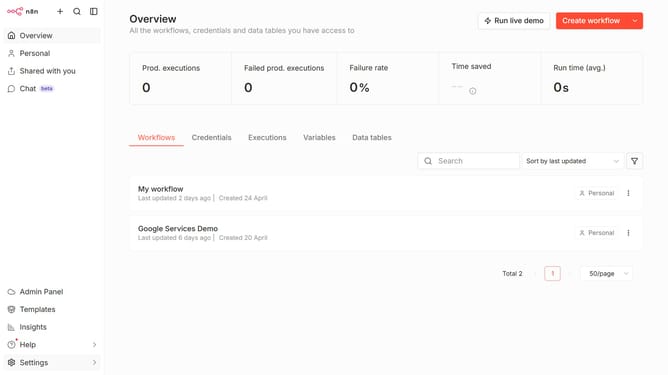
How to create Google Perspective OAuth2 API credential in n8n
Here is how to create google perspective oauth2 api credential in n8n
- First click on the dropdown arrow next to "Create workflow"
- Then click on "Create credential" option
- Then click on the "Search for app" input field and enter "google perspective"
- Then click on "Google Perspective OAuth2 API" link
- Then click on the "Continue" button
- Then fill in the important input fields
- Finally click on the "Sign in with Google" button
Why should you create Google Perspective OAuth2 API credential in n8n
n8n is a versatile workflow automation tool designed to elevate productivity through effortlessly connecting apps and services.
Incorporating Google Perspective OAuth2 API credentials into n8n streamlines the process of assessing online content for toxicity. By integrating this capability, users are empowered to automate moderation workflows, ensuring healthier online communities.
The benefit of using Google Perspective within n8n lies in its ability to enhance content review processes efficiently. This yields improved user interactions while conserving valuable time and resources.
Last update