How to create milestones on Linear
Here is how to create milestones on linear
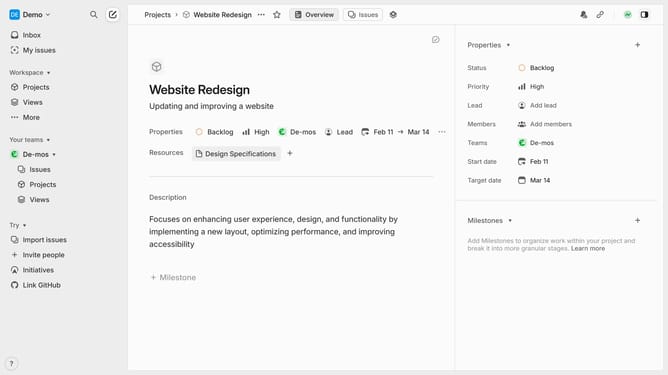
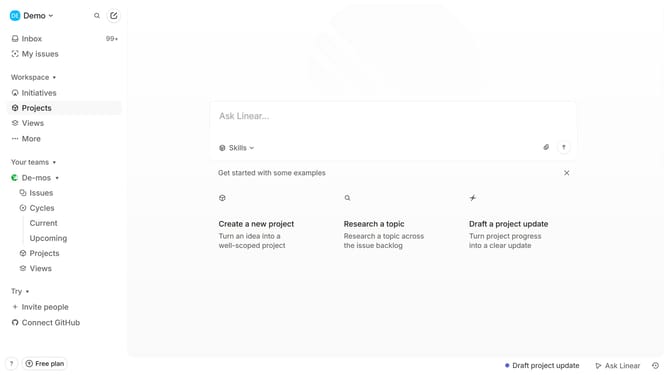
- First, navigate to your workspace and click "Projects" in the left sidebar
- Then select the project where you want to create a milestone
- Next click on "+ Milestone" at the bottom
- Enter a name for the milestone
- Add a description for the milestone (optional but useful for context)
- Then click on the "Set target date"
- Choose the date for when the milestone should be completed
- Your milestone is now added to the project and can be tracked for progress
Why should you create milestones on Linear
Linear is a powerful project management tool designed to streamline workflows and enhance team productivity.
Creating milestones in Linear allows teams to set clear, trackable goals, ensuring that every member understands the roadmap ahead.
This feature fosters clarity and teamwork by breaking down large projects into manageable phases, making it easier to monitor progress.
By using milestones, teams can prioritize tasks effectively, celebrate achievements, and adjust plans as needed to stay on track for success.
Last update