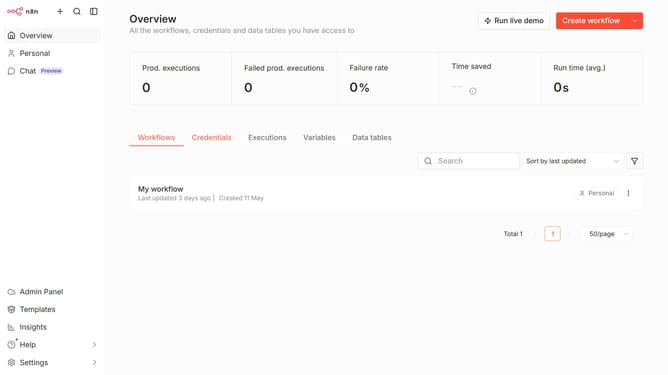
How to create LoneScale API credential in n8n
Here is how to create lonescale api credential in n8n
- First click on the dropdown arrow next to "Create workflow" button.
- Then click on "Create credential" button.
- Next type "lonescale" in the search bar and press enter.
- Then select "LoneScale API" from the list.
- After that click on the "Continue" button.
- Then fill in the "API Key" field.
- Finally click on the "Save" button.
Why should you create LoneScale API credential in n8n
n8n is an intuitive workflow automation tool designed to seamlessly integrate various applications and services.
Creating LoneScale API credentials in n8n enhances your ability to connect and communicate with LoneScale's robust functionalities. By establishing this credential, users unlock a pathway for seamless data exchange, paving the way for more automated and efficient workflows.
Utilizing LoneScale API credentials is crucial for maintaining secure and efficient integrations within n8n, ensuring data integrity while enhancing operational productivity.
Last update