How to create Google Sheets OAuth2 API credential in n8n
Here is how to create google sheets oauth2 api credential in n8n
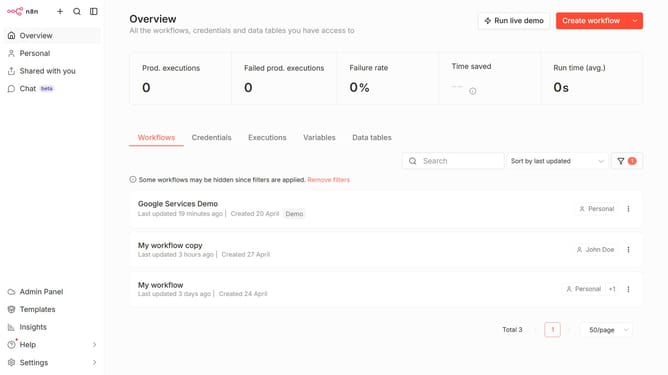
- First click on the dropdown arrow next to 'Create workflow' button in the header.
- Then click on 'Create credential' button in the dropdown menu.
- Next, within the 'Add new credential' modal, click on the search input field.
- After typing 'google sheets' in the search bar, click on 'Google Sheets OAuth2 API' item.
- Then click on the 'Continue' button.
- Finally, click on the 'Sign in with Google' button.
Why should you create Google Sheets OAuth2 API credential in n8n
n8n is a versatile automation tool designed to connect various services and automate workflows effortlessly.
Creating Google Sheets OAuth2 API credentials in n8n allows seamless integration between your automated processes and Google Sheets, making data handling efficient and secure.
By linking OAuth2 credentials, you ensure data is transferred safely, minimizing the risk of unauthorized access and enhancing the efficiency of data-driven tasks.
Leveraging this feature offers the convenience of automating data updates, thereby enhancing productivity and accuracy in spreadsheets management.
Last update