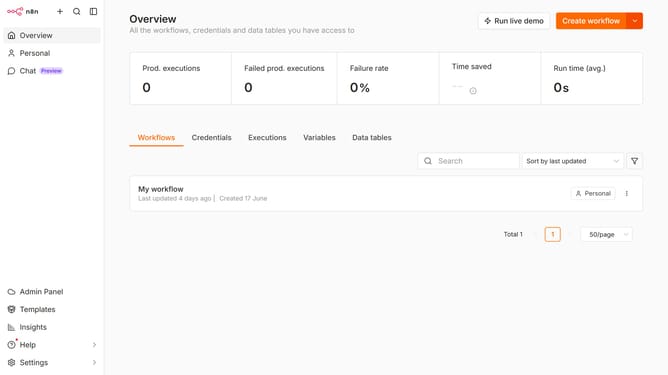
How to create Mailgun API credential in n8n
Here is how to create mailgun api credential in n8n
- First click on the dropdown arrow next to "Create workflow" button
- Then click on "Create credential" button
- Next click on the "Search for app..." input field
- Then type "mailgun" into the search input field and click on "Mailgun API" option
- Next click on the "Continue" button
- Then fill in the necessary fields in your new credential
- Finally click on the "Save" button
Why should you create Mailgun API credential in n8n
n8n is a powerful automation tool that connects various applications and services, streamlining workflows for users.
Creating Mailgun API credentials in n8n amplifies your communication capabilities by seamlessly integrating email sending functionalities into your automated processes.
This feature empowers businesses to efficiently manage email marketing campaigns, transactional emails, and notifications without manual intervention.
Leveraging Mailgun, users benefit from enhanced deliverability, tracking, and personalization, resulting in improved engagement and operational efficiency.
Last update