How to create Clockify API credential in n8n
Here is how to create clockify api credential in n8n
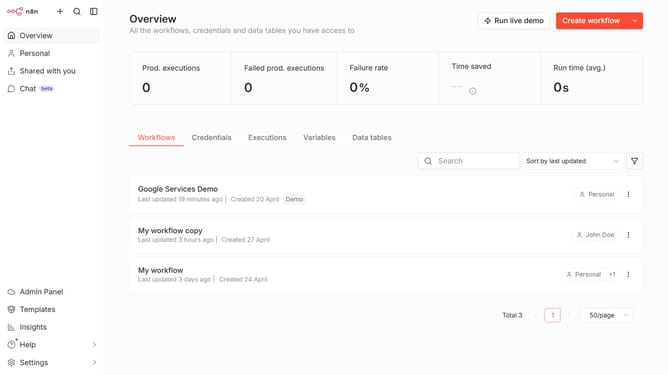
- First click on the dropdown arrow next to "Create workflow"
- Then click on "Create credential" option
- Next click on "Clockify API" in the list of apps
- Then click on the "Continue" button
- After that, enter your API Key in the input field for "API Key"
- Finally click on the "Save" button
Why should you create Clockify API credential in n8n
n8n is a versatile automation tool designed to seamlessly connect various applications and services.
Creating a Clockify API credential in n8n allows users to efficiently integrate and manage their time-tracking data, providing significant flexibility within automated workflows.
This feature is crucial for those seeking to streamline operational processes, as it enhances productivity by automating data collection from Clockify.
By leveraging Clockify API credentials in n8n, users benefit from enhanced data accuracy, ensuring smoother automation and time management.
Last update