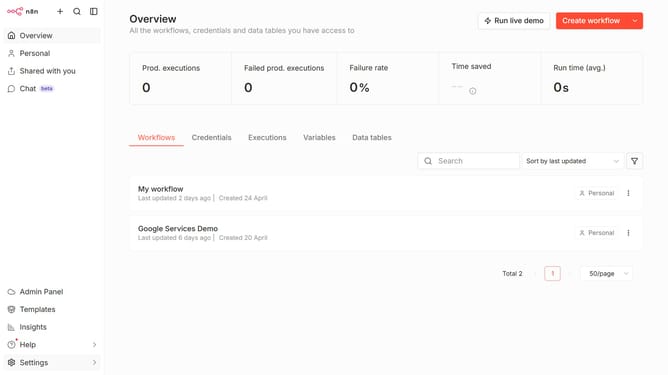
How to sort a data table by name (A–Z) in n8n
Here is how to sort a data table by name (a–z) in n8n
- First click on "Data tables" tab
- Then click sort dropdown
- Finally select "Sort by name (A-Z)" option
Why should you sort a data table by name (A–Z) in n8n
n8n is a powerful automation tool designed to streamline workflows effortlessly.
Sorting a data table by name (A–Z) in n8n is an intuitive feature that enhances data management. By quickly organizing information alphabetically, users can easily locate and analyze records, improving efficiency and focus.
Utilizing this sorting function offers a clear view of your data, making it easier to recognize patterns and trends, thus aiding better decision-making and productivity.
Last update