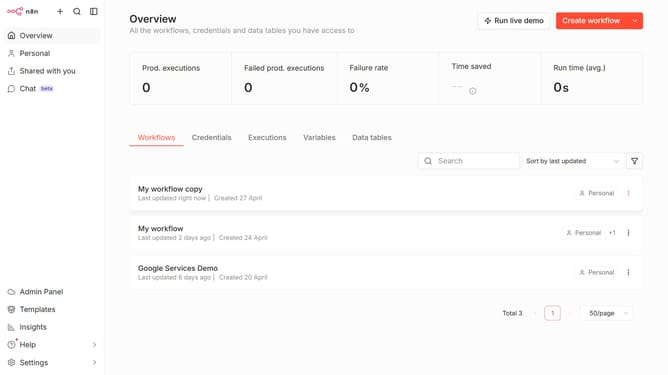
How to create Eventbrite API credential in n8n
Here is how to create eventbrite api credential in n8n
- First click on the dropdown arrow next to "Create workflow" button
- Then click on "Create credential" option
- Then click on the "Search for app..." input field
- Then type "event" into the search input and click on "Eventbrite API"
- Then click on the "Continue" button
- Then fill in the "Private Key" input field
- Finally click on the "Save" button
Why should you create Eventbrite API credential in n8n
n8n is an innovative workflow automation tool designed to seamlessly integrate various services and applications.
Creating Eventbrite API credentials in n8n streamlines the connection between your event management processes and other services. This feature enables the secure transfer of information, allowing you to enhance your productivity with minimal manual intervention.
The flexibility of n8n allows for efficient handling of data through automation, saving you time and reducing the risk of errors. By using Eventbrite API credentials, you tap into a powerful way to elevate your event management strategies.
Last update