How to create Customer.io API credential in n8n
Here is how to create customer.io api credential in n8n
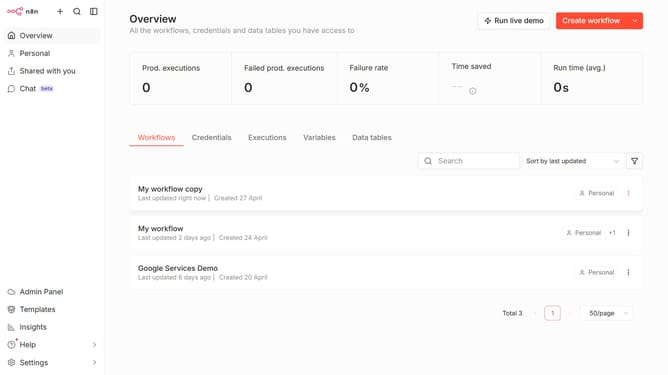
- First click on the dropdown arrow next to 'Create workflow' button in the header.
- Then click on the 'Create credential' button.
- In the 'Add new credential' modal, click on the 'Search for app...' input field.
- Type 'customer' into the search input and then click on 'Customer.io API'.
- Click on the 'Continue' button.
- In the 'Customer.io account' setup page, enter the necessary information.
- Finally click on the 'Save' button.
Why should you create Customer.io API credential in n8n
n8n is a versatile automation tool that simplifies complex workflows effortlessly.
Creating Customer.io API credentials within n8n enables seamless communication between your automated workflows and Customer.io, enhancing marketing operations by streamlining data exchanges.
This feature empowers users to personalize communication strategies, increasing engagement rates and optimizing the customer lifecycle with minimal effort.
Integrating Customer.io through n8n not only saves valuable time but also boosts marketing efficiency, ensuring tailored interactions at scale.
Last update