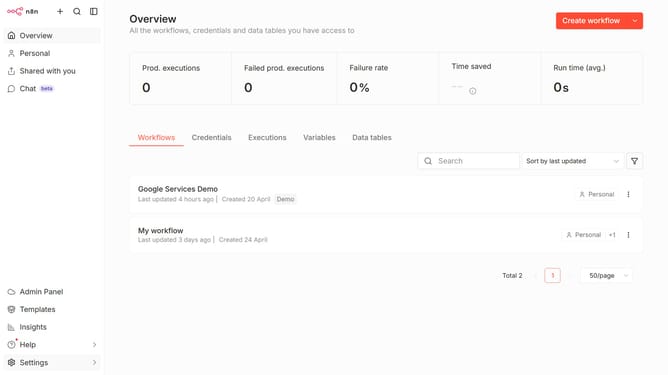
How to create Bitwarden API credential in n8n
Here is how to create bitwarden api credential in n8n
- First click on the dropdown arrow next to "Create workflow" in the header.
- Then click on "Create credential" button.
- Next, select "Bitwarden API" from the list of apps.
- Then click on the "Continue" button.
- After that, enter the necessary information for your new credential.
- Finally, click on the "Save" button.
Why should you create Bitwarden API credential in n8n
n8n is a powerful workflow automation tool designed to connect various applications seamlessly.
Creating Bitwarden API credentials within n8n opens the door to secure and automated password management. This integration allows users to efficiently manage sensitive information without leaving the n8n environment.
With Bitwarden's robust security, users leverage the power of automation to enhance their workflow efficiency. This combination of n8n's integration capabilities and Bitwarden's security ensures data protection and enhances productivity.
Last update