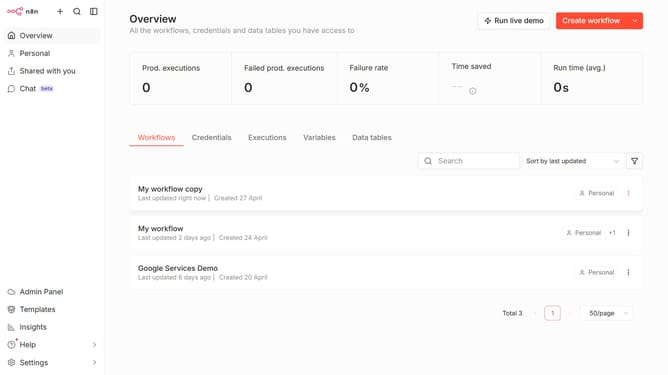
How to create Cortex API credential in n8n
Here is how to create cortex api credential in n8n
- First click on the dropdown arrow next to "Create workflow" button.
- Then click on "Create credential" button.
- Then click on the search input field in the "Add new credential" modal.
- Then type "cortex" in the search input and click on "Cortex API" option.
- Then click on the "Continue" button.
- Then enter the necessary information for your new credential.
- Finally click on the "Save" button.
Why should you create Cortex API credential in n8n
n8n empowers users to automate tasks and workflows effortlessly, acting as a bridge between various apps and services.
Creating a Cortex API credential in n8n is a straightforward process that enhances your automation capabilities by enabling seamless integration with Cortex. This feature allows users to harness the power of Cortex’s functionality within their automated workflows.
Utilizing Cortex API credentials ensures secure and efficient communication between n8n and Cortex, enabling advanced data analysis and streamlined operations. This integration optimizes your workflow, saving time while increasing the accuracy and effectiveness of your automated tasks.
Last update