How to create ChromaDB Self-Hosted credential in n8n
Here is how to create chromadb self-hosted credential in n8n
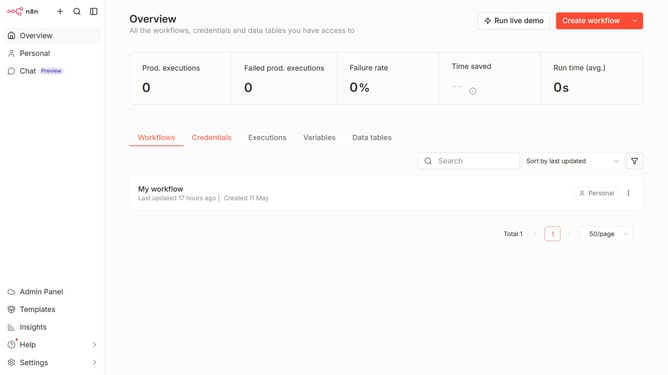
- First click on the dropdown arrow next to the "Create workflow" button.
- Then click on the "Create credential" option from the dropdown menu.
- Next, select "ChromaDB Self-Hosted" from the list of available services.
- After that, click on the "Continue" button.
- Finally, click on the "Save" button to complete the process.
Why should you create ChromaDB Self-Hosted credential in n8n
n8n is an open-source workflow automation tool that empowers users to connect various applications and automate tedious tasks seamlessly.
Creating a ChromaDB Self-Hosted credential in n8n offers users a secure and streamlined way to integrate and manage their data workflows.
By leveraging this feature, users ensure that their self-hosted databases maintain integrity and efficiency, maximizing the potential of their automation processes.
This capability emphasizes security and control, providing users with an enhanced experience of tailored, self-directed operations.
Last update