How to create QuickBooks Online OAuth2 API credential in n8n
Here is how to create quickbooks online oauth2 api credential in n8n
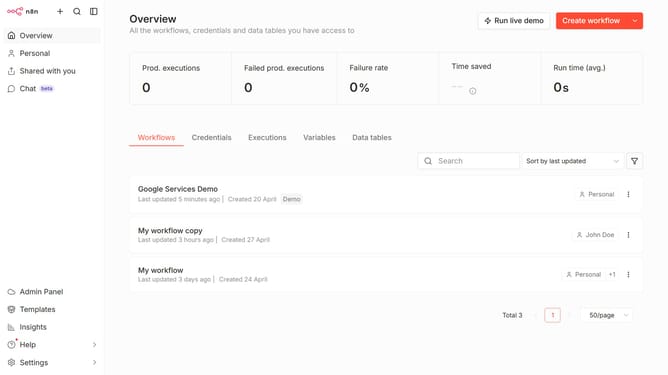
- First click on the dropdown arrow next to "Create workflow" button.
- Then click on "Create credential" button.
- Next, click on the search bar and type "QuickBooks".
- Then select "QuickBooks Online OAuth2 API" from the list.
- After that, click on the "Continue" button.
- Next, fill in the necessary credential details.
- Finally, click on the "Connect to QuickBooks Online" button.
Why should you create QuickBooks Online OAuth2 API credential in n8n
n8n is an intuitive workflow automation tool that lets users integrate apps and automate tasks effortlessly.
Creating QuickBooks Online OAuth2 API credentials in n8n allows seamless and secure access to financial data, vital for automated workflows.
This feature enhances efficiency by eliminating manual data entry, reducing errors, enhancing data security, and ensuring up-to-date information flow across multiple platforms.
Connecting QuickBooks Online with n8n empowers businesses to streamline operations, saving time and boosting productivity.
Last update