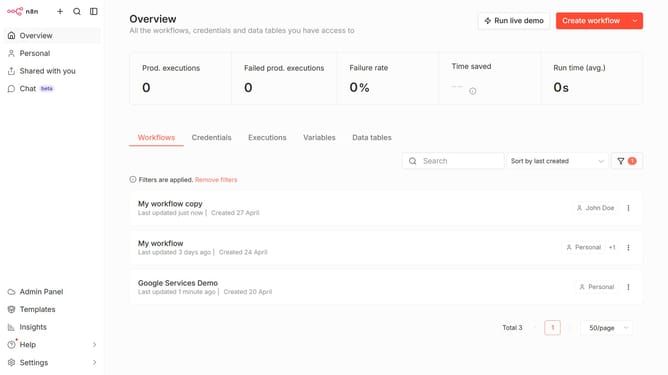
How to create Bannerbear API credential in n8n
Here is how to create bannerbear api credential in n8n
- First click on the dropdown arrow next to "Create workflow" button in the header.
- Then click on the "Create credential" button in the header.
- Next, select "Bannerbear API" from the list of applications in the modal.
- After that, click on the "Continue" button in the modal.
- Then enter your Project API Key in the input field.
- Finally click on the "Save" button in the header.
Why should you create Bannerbear API credential in n8n
n8n is a powerful, extendable workflow automation tool designed to streamline and simplify complex tasks.
Integrating your Bannerbear API credentials in n8n opens up a world of automation possibilities, allowing you to effortlessly generate dynamic images and videos. This feature enhances the user experience by seamlessly combining the creative power of Bannerbear with the automation prowess of n8n.
Leveraging these API credentials effectively saves time, reduces errors, and fosters creativity by allowing automated processes to handle routine image and video generation tasks. This integration empowers users to focus on more strategic, high-level activities while ensuring consistency and efficiency in operations.
Last update