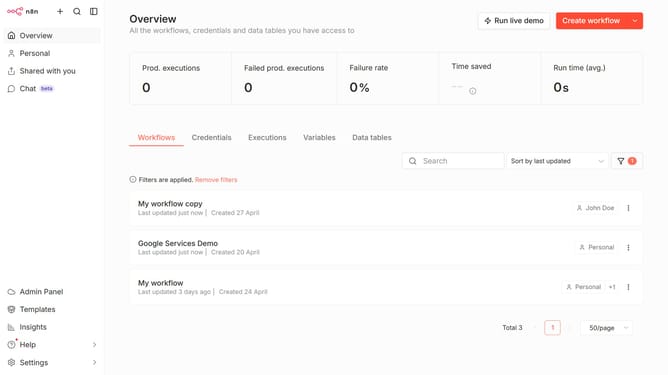
How to sort a data table by last updated in n8n
Here is how to sort a data table by last updated in n8n
- First click on "Data tables" tab
- Then click the sort dropdown in the top menu
- Finally select "Sort by last updated" option
Why should you sort a data table by last updated in n8n
n8n is an intuitive automation platform that empowers users to connect different systems without requiring extensive coding skills.
Sorting a data table by "last updated" in n8n allows users to effortlessly organize their data based on the most recent changes. This feature brings clarity and efficiency to data handling, ensuring that the latest updates are easily accessible.
Using this feature is essential for anyone who needs to prioritize current information, making it easier to track changes and make informed decisions quickly.
The ability to sort by the last updated date enhances productivity, offering a straightforward means to keep your data relevant and organized.
Last update