How to create a note announcement banner in Confluence
Here is how to create a note announcement banner in confluence
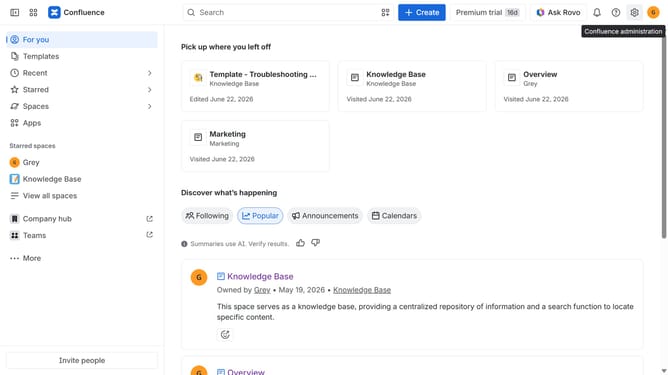
- First click on the gear icon in the header to open Confluence administration
- In the sidebar, click on "Announcements"
- Next, click on the "Create Announcement" button
- In the "Announcement title" field, enter a title for the announcement
- In the "Message" field, enter the message you want to display
- Then, select the "Purple" color option under "Look and feel"
- Next, configure other settings such as audience, and/or schedule as needed
- Finally, click on the "Publish" button
Why should you create a note announcement banner in Confluence
Confluence is a robust collaboration tool that empowers teams to efficiently organize and share valuable knowledge.
Creating a note announcement banner in Confluence is a smart way to highlight critical updates directly within your workspace. This feature ensures that prominent messages catch the attention of everyone on the team right away.
Beyond enhancing visibility, these banners streamline communication and foster awareness, promoting a harmonious and well-informed work environment.
Last update