How to copy a campaign link in Constant Contact
Here is how to copy a campaign link in constant contact
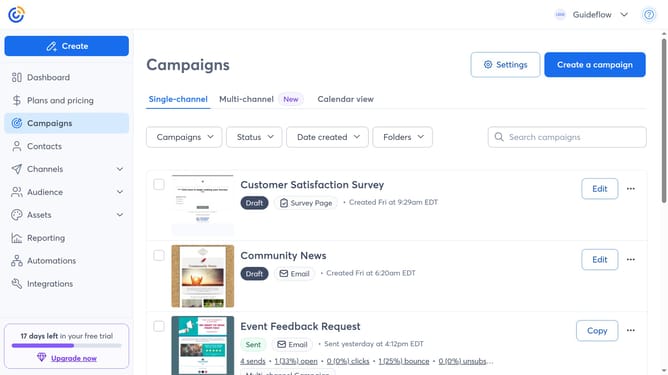
- First click on "Campaigns" in the left sidebar menu
- Find the sent campaign whose link you want to copy from the list
- Next click on the "More options" button (three dots)) next to the campaign
- Click on the "Share" option in the dropdown menu
- Select the "Copy link" option in the share dialog
- Then click the Copy icon next to the link. The campaign’s public link will be copied to your clipboard
- Finally, click "Done" and paste the link wherever you want to share it
Why should you copy a campaign link in Constant Contact
Constant Contact is a dynamic tool designed to simplify your email marketing efforts.
One standout feature is the ability to easily copy a campaign link. This feature enhances the accessibility and reach of your campaigns beyond just email.
By copying a campaign link, you can effortlessly share your email content across multiple platforms, including social media and websites.
This increases your audience engagement and amplifies your marketing impact, making it an indispensable asset to any campaign strategy.
Last update