How to connect your Microsoft Outlook account to HubSpot
Here is how to connect your microsoft outlook account to hubspot
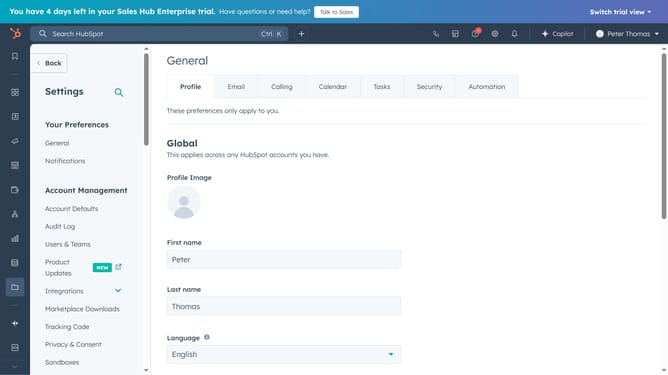
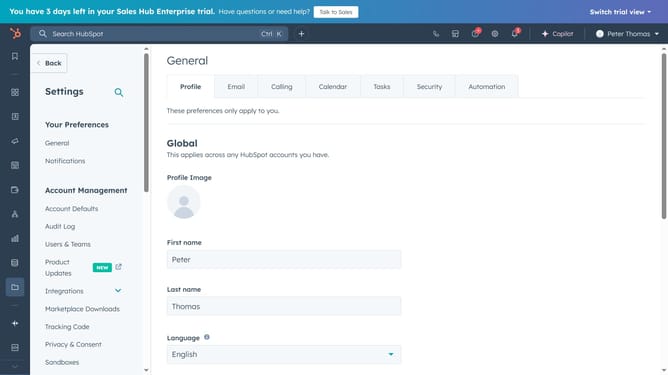
- First navigate to Settings and click on "General" in the left sidebar under Your Preferences
- Then click on "Email" tab in the top navigation menu
- Next click "Connect personal email" to begin the process
- In the popup dialog, turn on the inbox automation and click "Connect your inbox"
- Click "Next" button after entering email address in the setup dialog
- Next click on the "Choose email provider" button
- Select "Microsoft Outlook" from the email provider options
- Finally, click "Continue" and log in to your account to complete the setup
Why should you connect your Microsoft Outlook account to HubSpot
HubSpot is a robust platform designed to seamlessly enhance your marketing, sales, and customer service needs.
By connecting your Microsoft Outlook account to HubSpot, you streamline your workflow, making it easier to track emails, organize your inbox, and manage communications with clients.
This integration allows automatic syncing of emails, boosting productivity by ensuring all interactions are logged and accessible via HubSpot. The result is a more organized and efficient way to handle customer engagements without missing crucial information.
Last update