Zoom
Zoom is a unified communications platform for video, phone, chat, and webinars. It helps teams connect, collaborate, and boost productivity with powerful, intuitive tools.
Website
Industry
Collaboration
Share this article:

How to change the text size in Zoom Docs

Here is how to change the text size in zoom docs

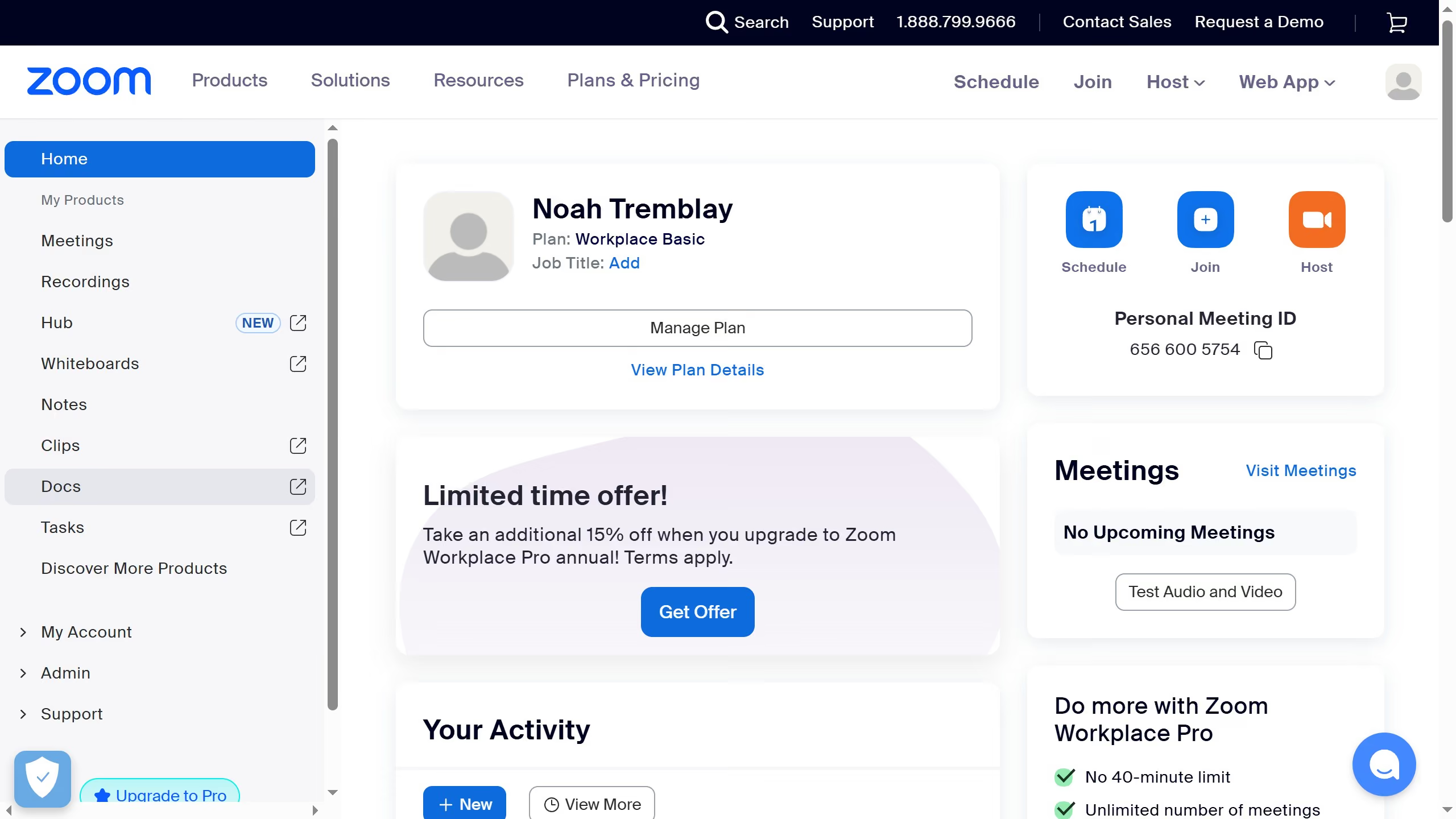
  1. First click on the "Docs" option in the left sidebar navigation menu
  2. Then open the document where you want to change the text size
  3. Next click on the "More" button (three dots) in the top-right corner of the document
  4. Then click on "Page options" from the dropdown menu
  5. Finally select the preferred font size option in the page options panel

Create your own interactive guide with Guideflow

Why should you change the text size in Zoom Docs

Zoom is a groundbreaking platform that revolutionizes the way we connect and collaborate in the digital world.

One of its intuitive features is the ability to change text size in Zoom Docs. This feature is essential for tailoring the reading experience to your preference, ensuring clarity and comfort across various devices.

Adjusting text size can significantly enhance accessibility, making data easier to read and interact with. By catering to individual needs, it helps maintain focus and boosts productivity, ensuring an optimal user experience for everyone involved.


Last update
February 3, 2026
Cursor MariaA cursor points to a button labeled "James."

Create your first demo in less than 30 seconds.