How to change the owner of a dashboard in HubSpot
Here is how to change the owner of a dashboard in hubspot
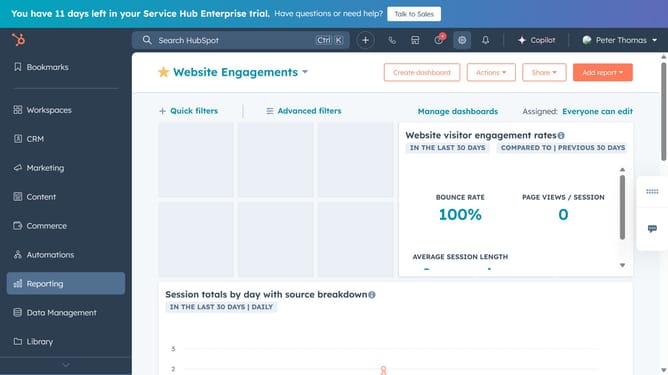
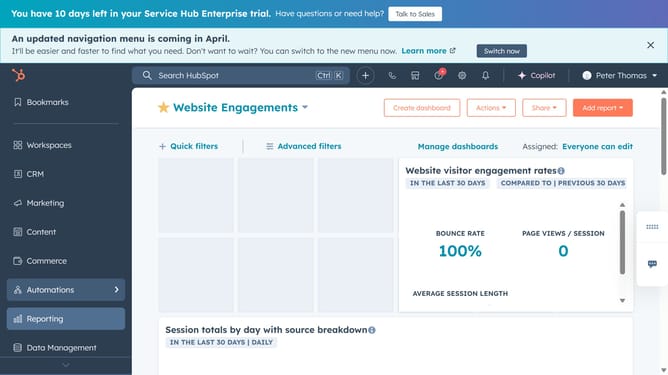
- First click on the "Reports" icon in the left sidebar
- Then click on "Dashboards" in the reporting menu
- Click on "Manage dashboards" link in the top dashboard header
- Next hover over the dashboard you want to change the owner and click on "Actions" dropdown menu
- Select "Dashboard details" from the Actions dropdown menu
- Click on the "Dashboard Owner" dropdown field
- Select the new owner from the owner options
- Finally click the "Save" button to apply the changes
Why should you change the owner of a dashboard in HubSpot
HubSpot is an all-in-one inbound marketing, sales, and service platform designed to help companies grow.
Changing the owner of a dashboard in HubSpot is a straightforward feature that allows flexible management of resources and information.
By utilizing this feature, teams can maintain alignment and ensure that the most relevant personnel have control, enabling efficient data-driven decisions.
This adaptability enhances collaboration and streamlines processes, empowering teams to thrive and adapt to any organizational change.
Last update