Slack
Slack is a business communication platform that organizes team conversations into channels and direct messages.
Website
Industry
Collaboration
Share this article:

How to change navigation tab appearance in Slack

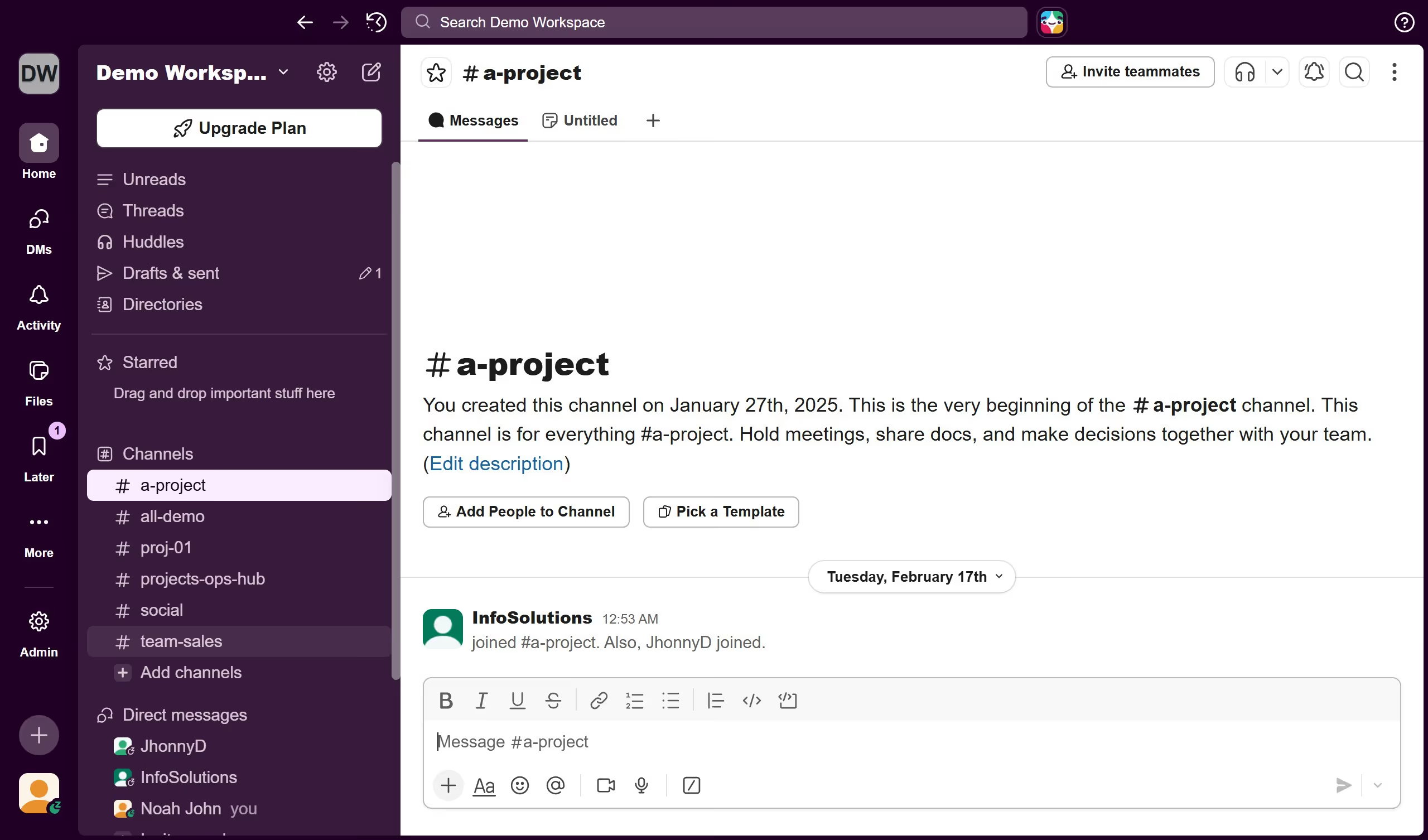
Here is how to change navigation tab appearance in slack

  1. First click on the profile icon in the bottom left sidebar to open the user menu
  2. Then click on "Preferences" option in the user menu
  3. Next click on "Navigation" option in the Preferences sidebar menu
  4. Then select a radio button under Navigation Tab Appearance
  5. Finally click on the close button at the top right of the Preferences dialog

Create your own interactive guide with Guideflow

Why should you change navigation tab appearance in Slack

Slack is a dynamic platform designed to streamline team communication and collaboration.

Customizing the navigation tab appearance in Slack offers an intuitive way to tailor your workspace to fit your personal workflow and aesthetic preferences. Transforming the look of your navigation tabs can enhance accessibility and streamline your daily routine by ensuring that your most-used channels and direct messages are visually distinctive.

Adjusting navigation tab appearance helps to prioritize information and boosts productivity by reducing the time spent searching for specific channels. It enhances user experience by giving you control over how and what you see, making your Slack interaction more efficient and enjoyable.

Last update
March 16, 2026
Cursor MariaA cursor points to a button labeled "James."

Create your first demo in less than 30 seconds.