How to change account first name and last name in Framer
Here is how to change account first name and last name in framer
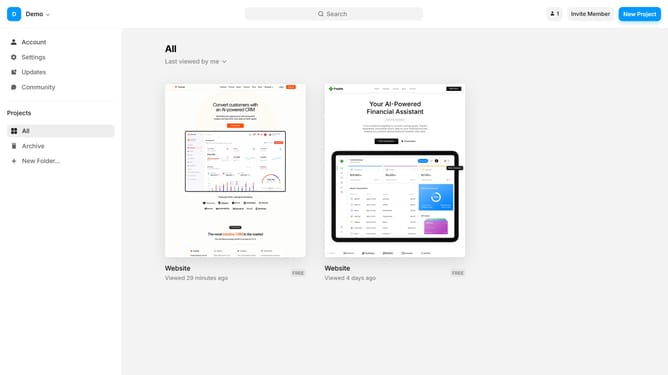
- First go to your dashboard and click on "Account" in the left sidebar
- You'll see fields for your first and last name, pre-filled with the name you added during sign-up
- To change them, simply type your new first and last name, and press Enter to save the changes
- Your updated name will be applied successfully
Why should you change account first name and last name in Framer
Framer is a powerful tool that allows creators to bring their design ideas to life seamlessly.
Changing your account first name and last name in Framer is a simple yet essential feature, ensuring your personal information stays current and accurate.
Keeping your account details up-to-date enhances communication and collaboration with team members by ensuring everyone clearly identifies the contributor behind the great work.
This feature promotes ease of use and fosters a sense of personalization and ownership among users, reinforcing a professional and adaptable profile on the platform.
Last update