How to add calendar events in Cal.com
Here is how to add calendar events in cal.com
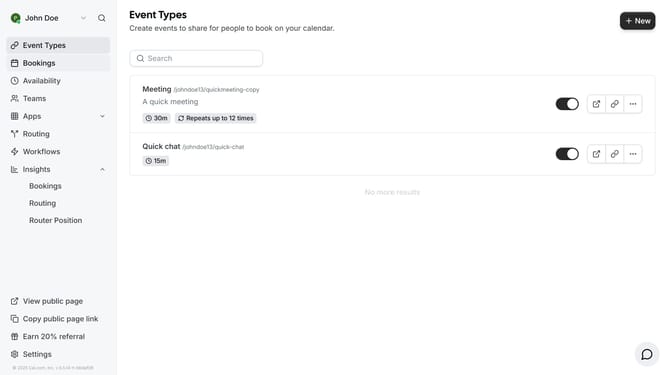
- First click on "Event Types" in the left sidebar navigation menu
- Then click on the "New" button in the top-right corner of the Event Types page
- Click the Title field of the new event type modal
- Then type in the title of the event
- Click the "Continue" button at the bottom of the modal to proceed
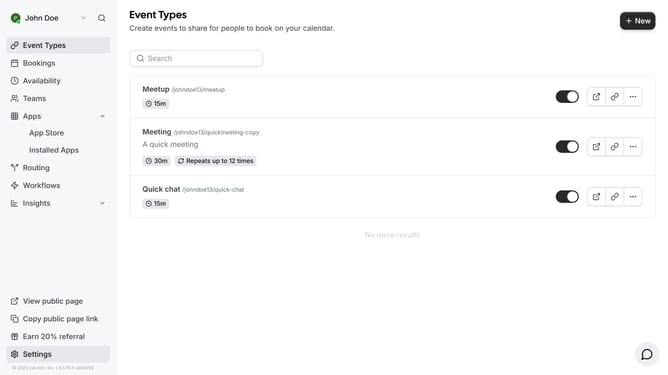
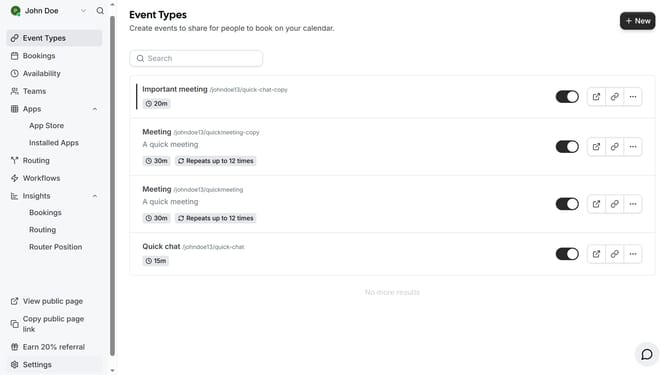
- Finally click on the "Back" button in the top-left corner to return to the previous screen and see the new even you just created for your calendar
Why should you add calendar events in Cal.com
Cal.com is a versatile scheduling tool designed to simplify appointment management and enhance productivity.
Adding calendar events in Cal.com is intuitive and seamless, allowing users to efficiently organize their schedules. This feature ensures that you never miss a meeting or important date, keeping you on top of your commitments.
With Cal.com, you can easily control your schedule, streamline your planning process, and focus on what truly matters, making it an indispensable tool for personal and professional time management.
Last update