How to access a team page in Calendly
Here is how to access a team page in calendly
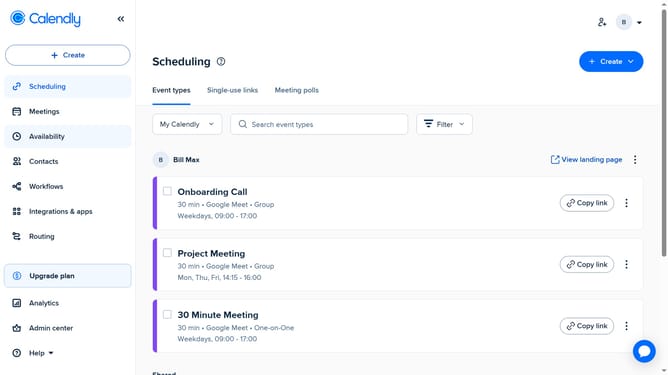
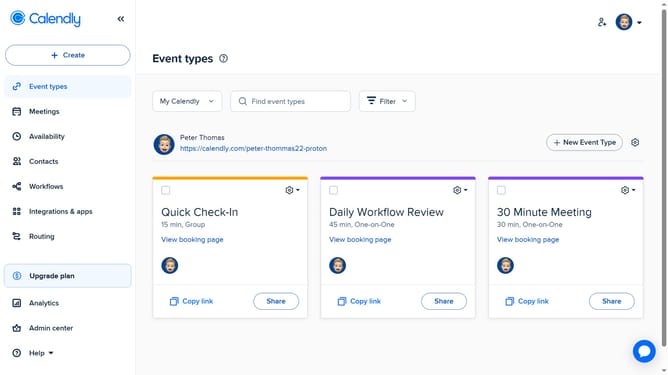
- First navigate to the "Event types" in the left sidebar
- Next click on the "My Calendly" dropdown in the top filter bar
- Then select the team you want to view from the dropdown list
- Finally, the team page for the selected team will open, where you can manage members, event types, and settings
Why should you access a team page in Calendly
Calendly is a dynamic scheduling tool that optimizes team coordination by streamlining appointment booking.
Accessing your team's page in Calendly brings everyone onto the same organizational wavelength, boosting collaboration and efficiency. With a dedicated space to manage collective schedules, users see only their relevant appointments, thereby eliminating confusion.
Leveraging this feature enhances your team's productivity, as it ensures seamless updates and communication. The clarity it provides in scheduling helps teams focus more on what truly matters.
Last update