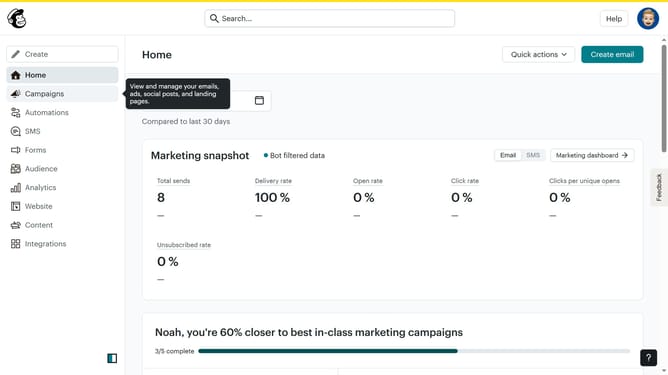
How input a subject line on a campaign in Mailchimp
Here is how input a subject line on a campaign in mailchimp
- First click on the "Campaigns" item in the left sidebar navigation menu
- Then click on the "Edit" button in the campaign actions menu
- Next click on the "Subject" section to expand the subject line options
- Then click on the subject line input field to enter your email subject
- Finally click on the "Save" button to save the subject line changes
Why should you How input a subject line on a campaign in Mailchimp
Mailchimp is a comprehensive marketing platform designed to empower businesses to connect meaningfully with their audience.
Crafting an effective subject line in a Mailchimp campaign is an essential feature that enhances email engagement.
By strategically inputting a captivating subject line, users can increase open rates and communicate their message more effectively.
This feature not only provides a direct way to grab attention but also reinforces brand identity, ensuring that emails stand out in a crowded inbox.
Last update