You start with three chapter ideas and a rough ending. Six weeks later you have forty scattered notes, two research folders, and no clear map of what happens in chapter nine.
Drafting was never the hard part. Holding the structure in your head was.
A word processor gives you a blank page and a scroll bar. Neither one tells you where a scene belongs, which thread you dropped, or what still needs a payoff. That gap is why the writing-enhancement software market keeps growing, with sustained demand tracked by Market.us (2026). The category exists because structure and drafting are different jobs, and most tools only do one of them well.
If you plan long-form work, you need a tool built for organizing before you write. This guide compares the outlining tools worth your time in 2026.
What's inside
This guide is for novelists, nonfiction authors, bloggers, and anyone planning long-form work who needs structure before drafting starts.
We chose each tool against four criteria that decide real workflow fit:
- Hierarchy and nesting: How deep the outline structure goes, from acts down to beats
- Drag-and-drop flexibility: How fast you can reorder chapters, scenes, and sections mid-project
- Cross-platform support: Whether it runs on Mac, Windows, iPad, or the web
- Pricing and value: What you pay against what the workflow actually demands
We skipped tools that only draft and can't organize, and any product that couldn't hold up as a planning-first outliner.
TL;DR
- Best for deep hierarchical outlines: OmniOutliner, if you want precise nesting on Apple devices
- Best for fiction planning: Plottr, built around visual timelines and story bibles
- Best for an all-in-one writing workflow: Scrivener, where outline and draft live together
- Best for a free book-writing workspace: Reedsy Studio, with optional premium outlining
- Best for budget-conscious writers: Manuskript, a low-cost editor with built-in or bring-your-own AI
- Best for visual thinkers: Ayoa or MindMeister, if you plan in mind maps before you plan in lists
What is outlining software
Outlining software is a tool for structuring ideas, chapters, scenes, and research into an ordered hierarchy before you draft. It sits between a note-taking app and a word processor, focused on the shape of a project rather than the prose inside it.
The point is not to write sentences. The point is to see the whole thing at once, then move the parts around until the structure holds.
A good outlining application shares a common set of capabilities:
- Nested hierarchy: Parents and children, so acts hold chapters and chapters hold scenes
- Collapse and expand: Fold sections to see the skeleton, open them to work the detail
- Drag-and-drop ordering: Reorder anything without cut, paste, and renumber
- Notes and attachments: Keep research, references, and context next to the structure
- Templates: Start from proven story or document frameworks instead of a blank grid
- Cross-device sync: Reach the same outline from a desk or a train
Here is where writers get it wrong. They open a general notes app, dump ideas into a flat list, and call it an outline. A flat list has no hierarchy, so it can't show relationships between a subplot and the chapter that resolves it.
A word processor has the opposite problem. It handles prose beautifully and structure barely at all. Reordering ten chapters in a single document means scrolling, selecting, and hoping you didn't drop a section.
Dedicated outliner apps solve the middle layer. They treat structure as the primary object and prose as secondary, which is exactly backward from how a word processor works. For anyone planning a book, a research report, or a multi-thread story, that inversion is the whole value. You design the architecture first, then fill it in, instead of discovering three drafts later that the foundation was wrong.
When to use outlining software
Plan a book before drafting starts
Outlining software turns a loose pile of ideas into a chapter or scene map you can actually follow. You place the beats, arrange the arc, and see the gaps before you write a word into them. Product managers know this instinct well: It's the same reason you spec a feature before engineering builds it. Fixing structure on a map is cheap. Fixing it in a finished draft is not.
Keep research and structure in one place
Nonfiction, dense worldbuilding, and multi-thread narratives generate more supporting material than any one person can track. An outliner lets you attach notes, sources, and references directly to the section they belong to. Instead of hunting through folders, you open the chapter and find its research sitting right there.
Reorganize fast as the draft changes
Structure never survives first contact with the actual writing. A subplot stalls, a chapter runs long, an ending shifts. Drag-and-drop reordering and nested sections let you rework the shape in minutes rather than rebuilding a document by hand. This is where dedicated outline app tools pull ahead of generic writing software.
Comparison table
Every tool below solves the outlining problem from a different angle. Some go deep on hierarchy, some go visual, and one is a leather binder rather than an app. Pricing and G2 ratings reflect current, verified values at the time of writing. Where a G2 rating isn't published for a tool, the cell says so plainly rather than guessing.
| # | Product | Best for | Key differentiator | Pricing | G2 rating |
|---|---|---|---|---|---|
| 1 | OmniOutliner | Deep hierarchical outlines on Apple devices | Unlimited nesting with columns and row detail | From $24.99 one-time | Not listed |
| 2 | Plottr | Visual fiction planning | Timelines plus story-bible planning | From $9.99/mo | 4.8 |
| 3 | Reedsy Studio | Free all-in-one book workspace | Plan, draft, and export in one app | Free, add-ons from $4.99/mo | Not listed |
| 4 | Scrivener | Long, research-heavy projects | Binder, corkboard, and outliner combined | From $23.99 one-time | 4.5 |
| 5 | Manuskript | Budget-conscious writers | Low-cost editor with AI options | Free, Pro at $5/mo | Not listed |
| 6 | Ayoa | Visual and collaborative planning | Mind maps plus task and Gantt views | Free, Ultimate from £13/mo | 4.4 |
| 7 | MindMeister | Early-stage idea mapping | Real-time collaborative mind maps | Free, paid from $3.50/mo | 4.2 |
Best 8 outlining software for 2026
1. OmniOutliner
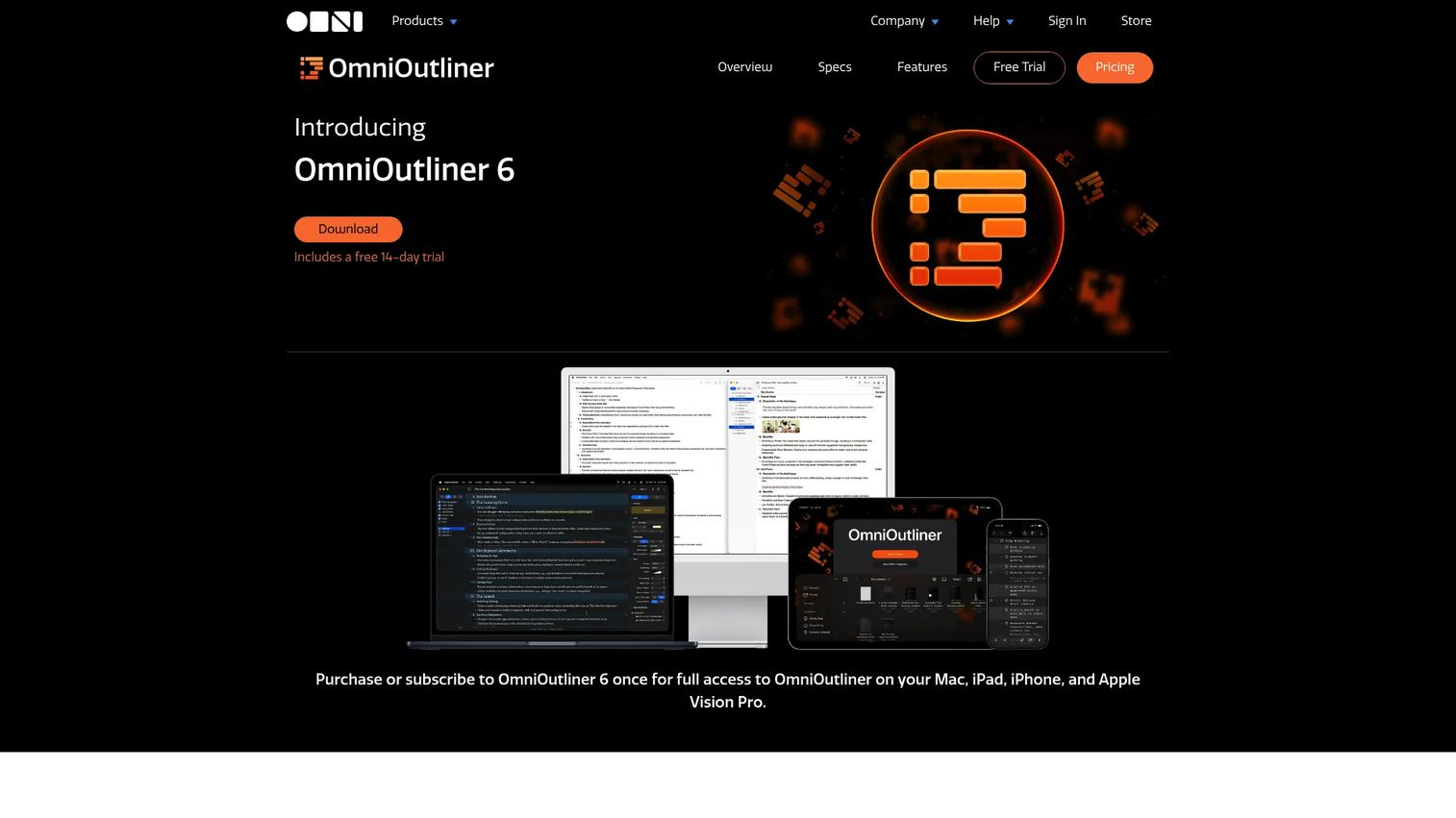
OmniOutliner is a professional-grade outliner for Mac, iPhone, iPad, and Apple Vision Pro. It treats structure as the main event, with unlimited nesting, collapsible rows, and columns you can add for status, word counts, or notes. Writers who want precision, not decoration, tend to reach for it first.
If you think in strict hierarchy and live inside the Apple ecosystem, this is the tightest fit on the list.
Best for: Writers and teams who need deep, structured outlines across Apple devices.
Key features
- Unlimited outline hierarchy and nesting
- Collapse and expand any level
- Custom columns: Status, counts, notes
- Notes, attachments, and checklists
- Export to OPML, CSV, Word, and more (Pro)
Why choose OmniOutliner: Pick it when the structure itself is the deliverable and you want row-level control most writing apps never offer. The trade-off is platform: It's Apple-only, so a Windows machine leaves it out.
OmniOutliner pricing: The Essentials license is a one-time $24.99, the Pro license is a one-time $99.99, and an annual subscription runs $49.99 per year. Omni Group backs purchases with a 30-day money-back guarantee.
OmniOutliner does not carry a published G2 rating at the time of writing, so weigh it on features and the Apple-only fit rather than a star score.
2. Plottr
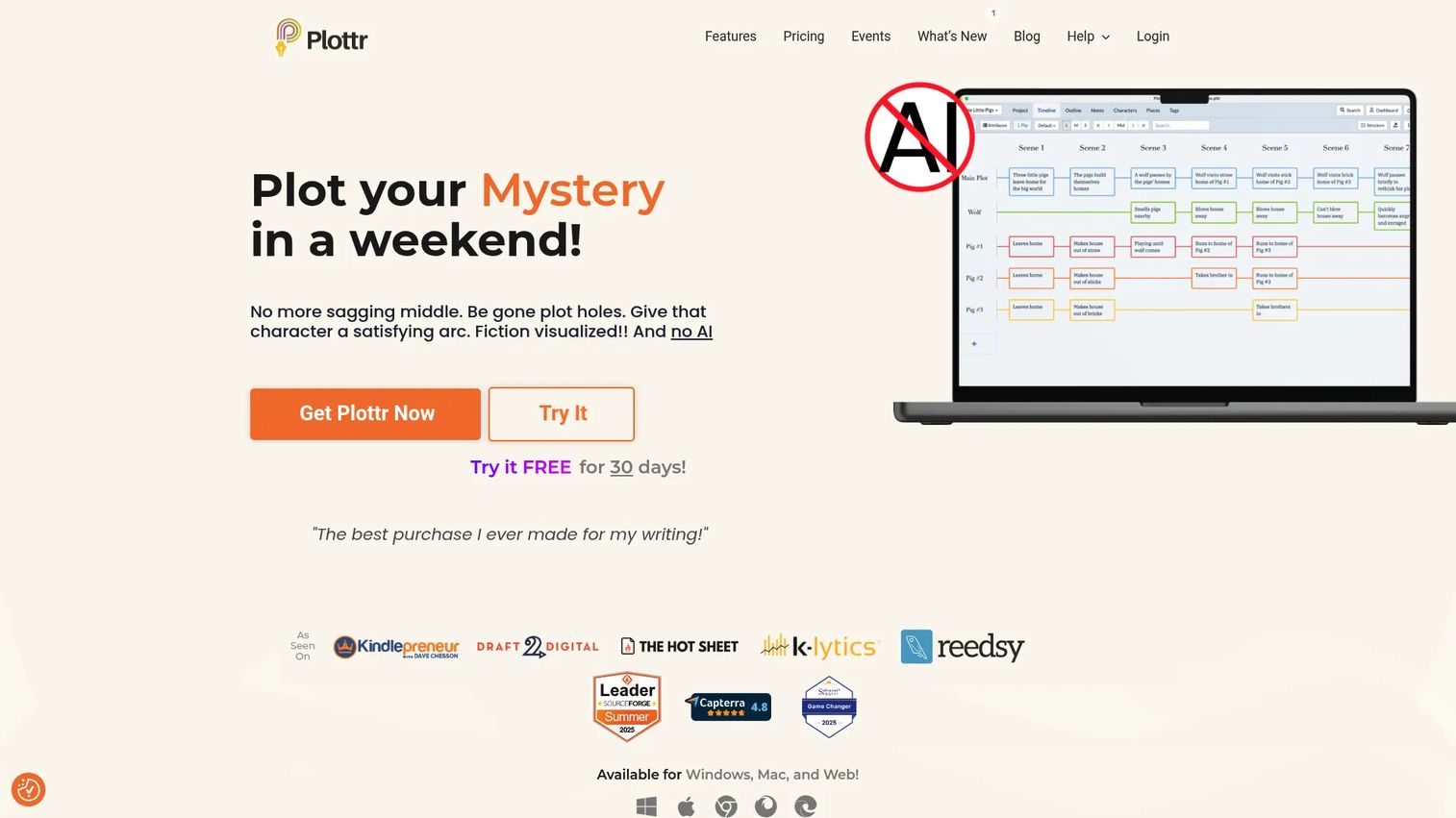
Plottr is visual book-outlining and story-bible software built for novelists. Instead of a linear list, you work with timelines and scene cards you can drag across a board. It ships with plot templates based on established storytelling structures, so a blank canvas never stops you cold.
For plot-heavy fiction, seeing the arc laid out horizontally changes how fast you spot a sagging middle.
Best for: Novelists who plan visually and manage series-level continuity.
Key features
- Visual timelines and scene cards
- Story bibles: Characters, places, tags
- Plot templates from proven structures
- Series planning across multiple books
- Export to Word and Scrivener
Why choose Plottr: Choose it if your bottleneck is plot and character continuity across a long or multi-book story. It's purpose-built for fiction, so nonfiction writers will find less to grab onto here.
Plottr pricing: Plottr Pro is $9.99 per month or $99 per year, and Pro + Community runs $14.99 per month or $129 per year. Annual basic Plottr is $60, and lifetime licenses range from $150 for basic up to $649 for Pro + Community.
On G2, Plottr holds a 4.8 out of 5, though that score rests on a small number of reviews, so read them alongside the trial.
3. Reedsy Studio
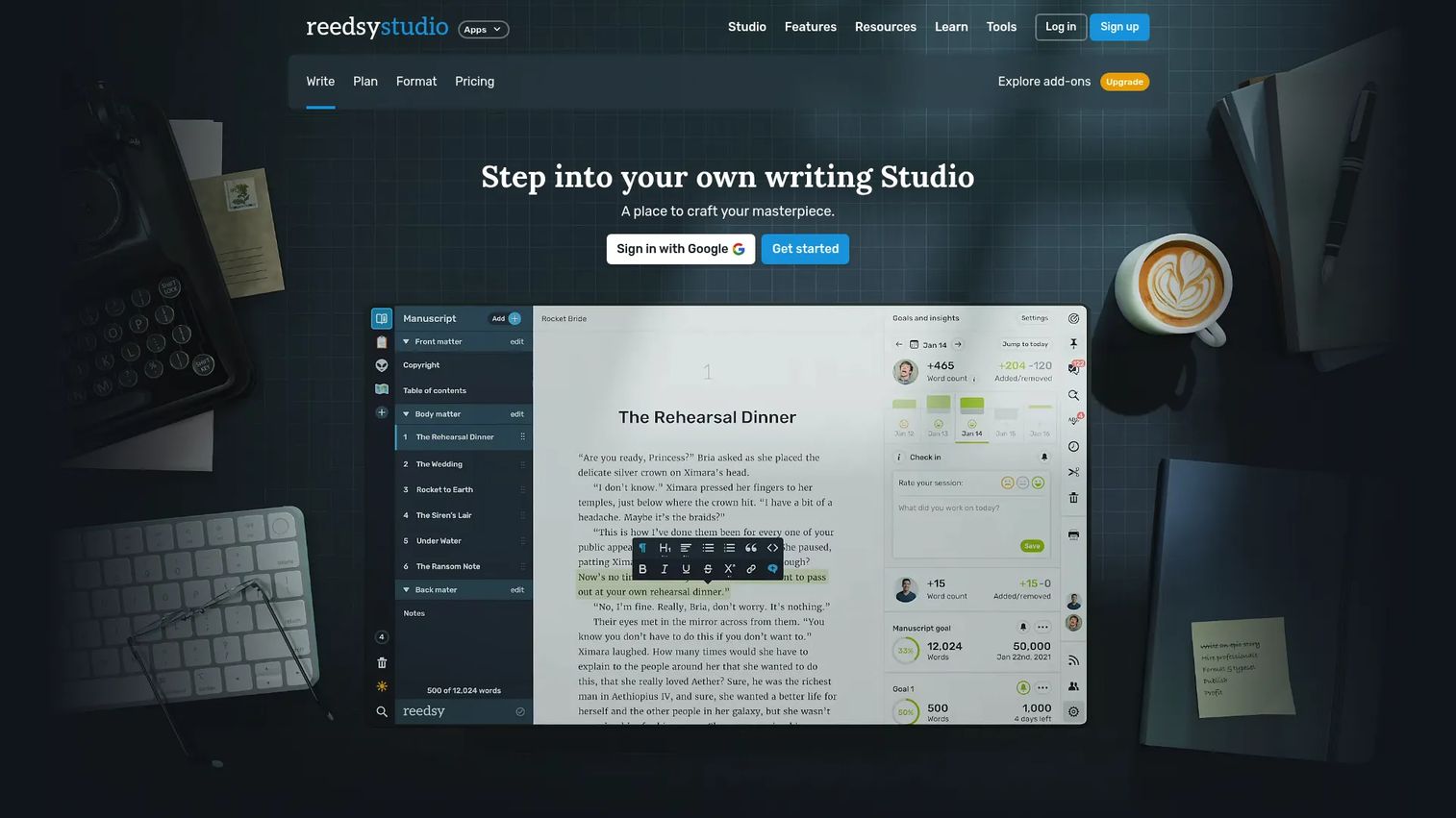
Reedsy Studio is an all-in-one writing app that lets authors plan, draft, edit, format, and export in one place. Its core editor and formatting are free, with planning boards for outlining, research, and characters available as part of the workflow. Premium add-ons layer on deeper outlining tools.
If you want one workspace from first note to print-ready file, this outline app removes the tool-switching tax.
Best for: Authors who want a free book-writing and formatting workspace with optional premium outlining.
Key features
- Advanced manuscript editor
- Boards for outlining, research, characters
- Free core writing and formatting
- Export to EPUB and print-ready PDF
- 30-day free trial on premium features
Why choose Reedsy Studio: Reach for it when you'd rather keep planning and drafting under one roof than stitch two apps together. Writers who want a standalone, hierarchy-first outliner may find the planning boards lighter than a dedicated tool.
Reedsy Studio pricing: Core writing and formatting are free. Studio Essential is $4.99 per month and the Outlining add-on is $7.99 per month, both with a 30-day free trial.
Reedsy Studio does not have a published G2 star rating at the time of writing, so judge it on the free tier, which is easy to test at no cost.
4. Scrivener
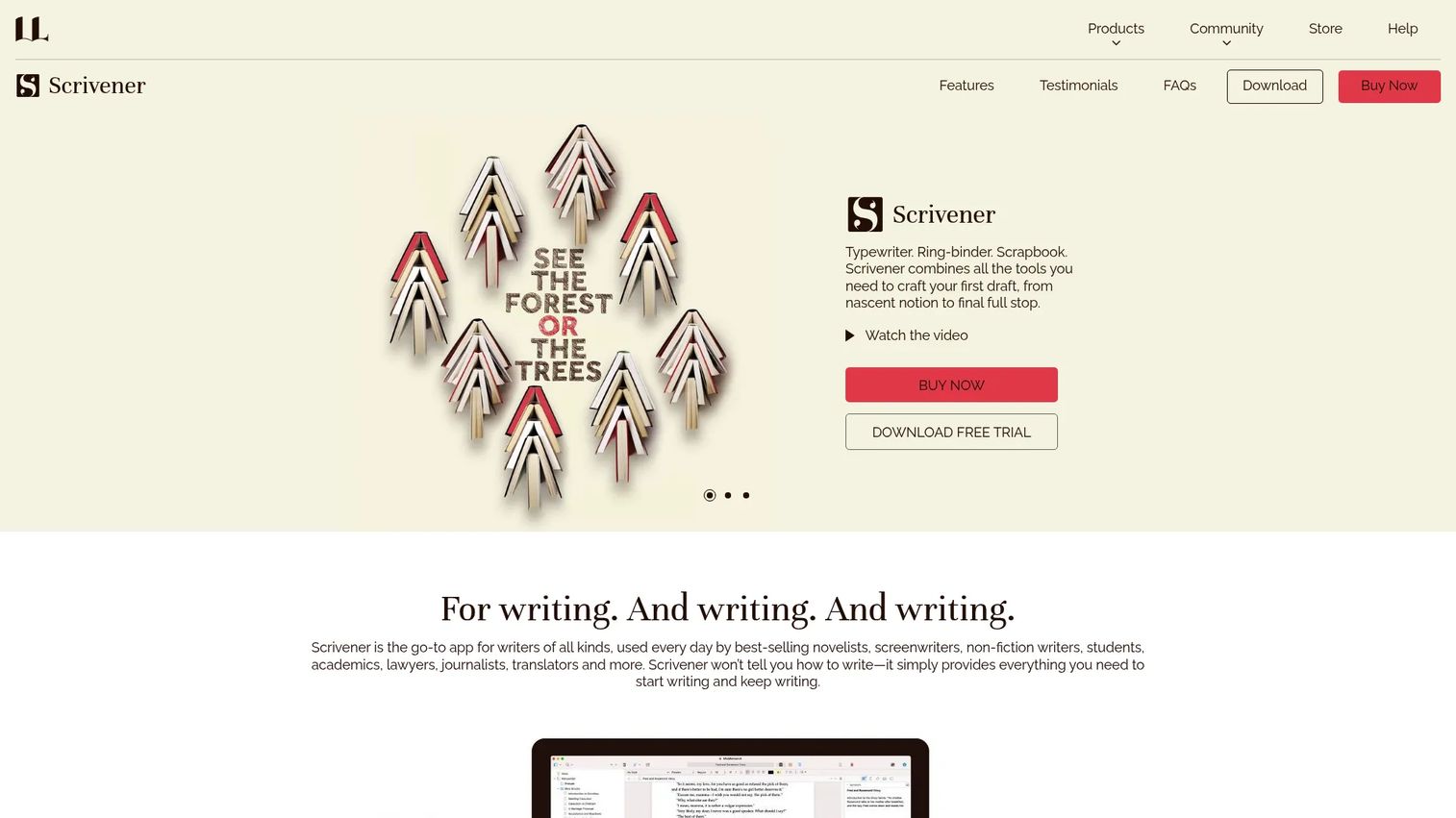
Scrivener is a long-form writing app that organizes notes, research, outlining, drafting, and compiling in a single project. Its binder, corkboard, and outliner views let you structure a book, then write inside the same environment. Many authors use it as both outline and manuscript, which is exactly its appeal.
For research-heavy novels, screenplays, and nonfiction, keeping structure and prose together is the reason people stay for years.
Best for: Writers handling long, research-heavy projects like novels, screenplays, and books.
Key features
- Binder, corkboard, and outliner views
- Research storage: PDFs, web pages, images
- Section and chapter planning
- Compile to Word, PDF, ePub, Final Draft
- Plain-text and manuscript export
Why choose Scrivener: Choose it when one project holds both your outline and your draft and you don't want them living apart. The learning curve is real, so budget time before a deadline rather than during one.
Scrivener pricing: The iOS and iPadOS app is a one-time US$23.99, with a 30-day free trial on desktop. A discounted macOS and Windows bundle is available, and educational licenses are listed too.
Scrivener holds a 4.5 out of 5 on G2, reflecting a large base of long-form writers.
5. Manuskript
Manuskript is a lightweight writing editor with a markdown workflow and built-in or bring-your-own AI. It keeps documents organized with cloud sync, version history, and templates, so structure and drafts stay in reach across devices. For writers watching every dollar, the entry point is hard to beat.
If you want a low-overhead tool that still handles organization and export, this is the budget-first option on the list.
Best for: Writers who want a low-cost editor with either their own AI keys or a cheap built-in AI plan.
Key features
- Markdown editor with live preview
- Unlimited documents and cloud sync
- Version history and templates
- Export to PDF, Word, and HTML
- Built-in AI or bring-your-own key
Why choose Manuskript: Choose it when budget matters most and you want writing organization software without a heavy price tag. It leans lighter on visual planning than dedicated outliners, so plot-mapping fans may want to pair it with something more visual.
Manuskript pricing: The Bring Your Own Key plan is free and uses your own API keys. The Pro plan is $5 per month and includes built-in AI with 50,000 words per month.
Manuskript does not have a confirmed G2 rating at the time of writing, so lean on the free plan to test fit before you commit.
6. Ayoa
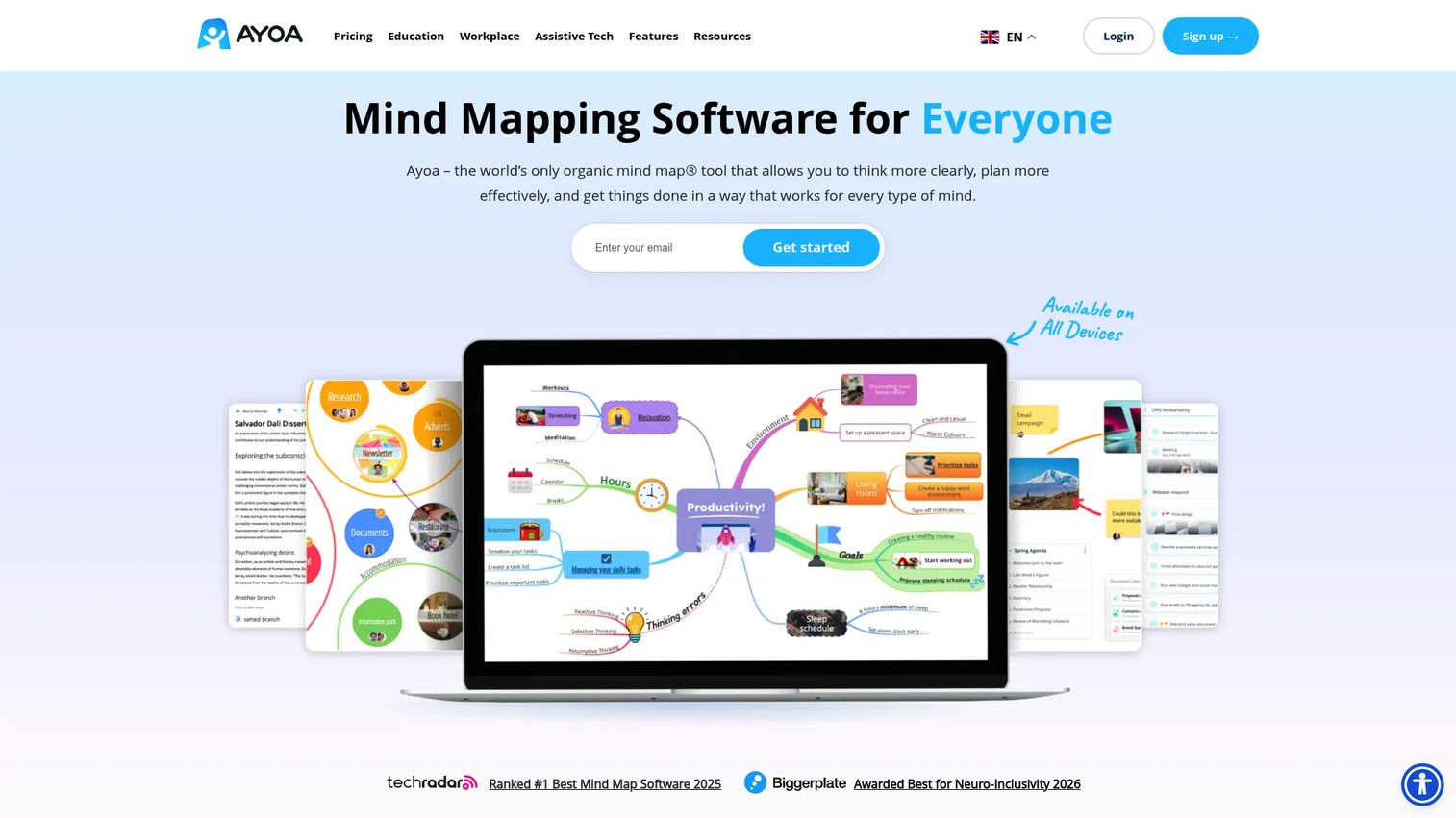
Ayoa is visual productivity software that pairs mind mapping with whiteboards and task management. Writers who think in branches rather than lists can brainstorm a structure, then push it into task boards to execute. It blends ideation and planning in one workspace.
When your first move is a map, not a numbered list, a visual-first tool keeps you in flow longer.
Best for: Writers and teams who want visual brainstorming plus task execution in one place.
Key features
- Mind mapping for idea generation
- Integrated whiteboards
- Task board and Gantt views
- Real-time collaboration
- AI-assisted planning
Why choose Ayoa: Reach for it when you plan visually first and want to hand a structure off to a task view. It shines at ideation, so writers who need strict linear hierarchy may prefer a traditional outliner alongside it.
Ayoa pricing: Ayoa offers a free plan and a 7-day trial. Ayoa Ultimate starts at £13.00 per user per month, with annual and 3-year billing options available.
On G2, Ayoa holds a 4.4 out of 5, which tracks with its strength in visual, collaborative planning.
7. MindMeister
MindMeister is online mind-mapping software for organizing ideas and collaborating in real time. It works best at the earliest stage, when you're generating themes and connections before any linear structure exists. Once the map is full, you export it and move into a dedicated outliner.
Treat it as the step before the outline: Get every idea on the canvas, then decide what becomes chapter one.
Best for: Writers and teams who need collaborative mind maps for early idea generation.
Key features
- Real-time collaborative mind maps
- Templates and presentation mode
- Apps for iOS and Android
- Export to structured formats
- Free tier for solo use
Why choose MindMeister: Choose it as a brainstorming companion when your ideas aren't ready to sit in a list yet. It maps ideas rather than manages manuscripts, so a linear outliner is the natural next step after the map.
MindMeister pricing: The Free plan covers solo mapping. Personal is $3.50 per user per month, Pro is $5.50 per user per month, and Business is $8.50 per user per month, all excluding VAT.
MindMeister holds a 4.2 out of 5 on G2, reflecting steady use for collaborative brainstorming.
Considerations
Feature lists don't tell you which tool survives your actual workflow. These five criteria do.
Hierarchy and nesting
Ask how deep the structure goes before you commit. A tool that only handles two levels will choke on a book with acts, chapters, scenes, and beats. If you plan complex or multi-thread work, unlimited nesting is not a luxury, it's the baseline.
Cross-platform support
Confirm where the tool runs before you pay. OmniOutliner is Apple-only, while MindMeister and Ayoa run in a browser. If you draft on a Mac and edit on a Windows laptop, a cross-platform outlining app saves you from copy-paste migrations later.
Drafting versus planning
Decide whether you want a pure outliner or an all-in-one writing app. Scrivener and Reedsy Studio keep planning and drafting together, while OmniOutliner and MindMeister focus on structure alone. Pairing a planner with a separate editor is fine, as long as the two can exchange files cleanly.
Pricing and value
Match the price to the workload, not the other way around. Manuskript's free tier suits a lean project, but a series author may get more from Plottr's story bibles despite the higher cost. The cheapest tool wastes money if it can't hold your structure.
Export and portability
Check the export formats before you lock in months of work. You'll eventually move an outline into a drafting or publishing tool, so OPML, Word, or ePub support matters. Portability is what keeps you from being trapped by a format nobody else reads.
Conclusion
The right outlining tool depends on how you plan, not on a feature count.
If you want deep, precise hierarchy on Apple devices, OmniOutliner leads. For visual fiction planning with timelines and story bibles, Plottr fits novelists best. Writers who want planning and drafting in one place should look at Scrivener or the free Reedsy Studio, while Manuskript covers budget-conscious projects. If you think in maps before lists, Ayoa and MindMeister start you in the right mode.
Here's the decision rule worth keeping: Pick the tool that matches how you already structure and revise, not the one with the longest feature list. Start with one that fits your current workflow complexity, then upgrade only when the project outgrows it. A tool you actually use beats a powerful one you abandon after a week.
Test the free tier or trial before you pay, and reorder a real chapter to feel the drag-and-drop. That five-minute test tells you more than any spec sheet.
Start your journey with Guideflow today!
FAQs
There isn't a single winner, because the best tool depends on your job. If you need deep hierarchy, OmniOutliner leads; for fiction planning, Plottr fits; for an all-in-one drafting workflow, Scrivener works well. Match the tool to whether you need structure, plot, or a full writing environment.
Scrivener is more than an outliner, but many writers use it that way. Its binder, corkboard, and outliner views let you structure a project, then draft inside the same file. That combination is why writers pick it as both a planning and writing tool.
Manuskript's Bring Your Own Key plan is free and covers editing, organization, and export. Reedsy Studio also offers a free core writing and formatting workspace, and MindMeister has a free tier for solo mind mapping. Free tools trade some depth for cost, so test them against a real project before relying on them.
No, plenty of writers draft in a plain word processor. Outlining software earns its place when structure, research, or revisions get complex enough to lose track of. If you keep forgetting which thread you dropped, a dedicated outliner pays for itself fast.
Mind maps are better for ideation, when you're generating themes and connections without a fixed order. Outlines are better for execution and revision, where sequence and hierarchy matter. Many writers start in a tool like MindMeister, then move the structure into a linear outliner once the ideas settle.
Prioritize research organization, source notes attached to sections, and easy reordering as arguments shift. Clear hierarchical structure matters most, since nonfiction lives or dies on how sections build on each other. Tools like Scrivener and OmniOutliner handle this depth well.
Some can, but most are built to plan rather than draft. Scrivener and Reedsy Studio combine outlining with a full writing environment, so they come closest to a replacement. Pure outliners like OmniOutliner and MindMeister usually pair with a separate editor for the actual writing.
Yes. If the analog PLOTTER binder system isn't your style, Plottr offers digital timelines and scene cards built for fiction. Scrivener's corkboard is another strong option for writers who want visual scene planning inside a full manuscript tool.