How to view paid traffic changes in Semrush
Here is how to view paid traffic changes in semrush
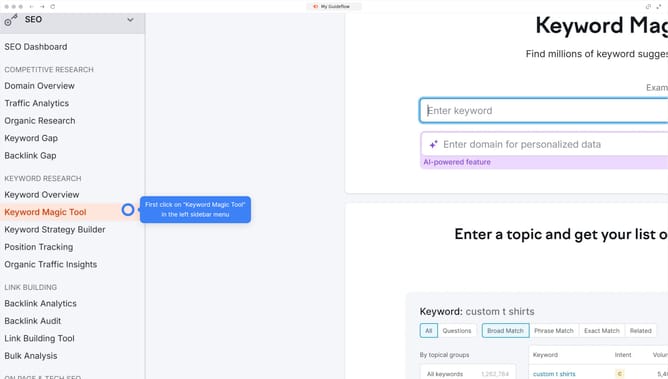
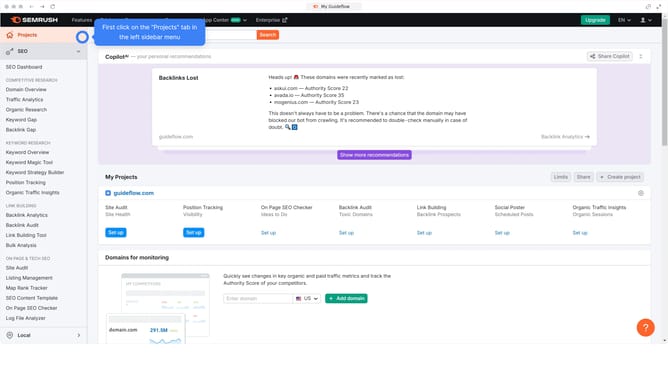
- First click on the "SEO" section in the left sidebar menu
- Then click on "Domain Overview" option in the left sidebar submenu
- Enter your domain in the domain input field
- Click the "Search" button to analyze the domain
- Hover over the graph on the "Paid Search Traffic" section to view paid traffic trends by date
Why should you view paid traffic changes in Semrush
Semrush is a comprehensive digital marketing toolkit designed to boost online visibility and drive insightful analytics.
Tracking paid traffic changes within Semrush allows you to monitor the effectiveness of your marketing strategies quickly and easily. By observing these fluctuations, businesses can identify which campaigns are most successful and where improvements are needed.
This invaluable insight helps in optimizing budget allocation, enhancing return on investment, and staying ahead of competitors. Visualizing these shifts empowers marketers with the information needed to make informed, strategic decisions.
Last update