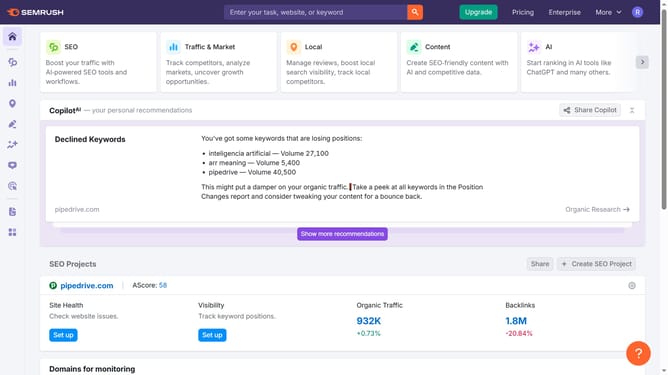
How to view all backlinks in Semrush
Here is how to view all backlinks in semrush
- First click on the "SEO" tile in the main dashboard section to access SEO tools and features
- Then select "Backlink Analytics" option from the left sidebar menu under the Link Building section
- In the Backlink Analytics tool, click on the URL input field to enter a domain for analysis
- Click the "Analyze" button to start the backlink analysis
- Go to the "Backlinks" tab to view the latest incoming links
- Finally click on the "All" filter tab in the backlinks results section to view all backlinks
Why should you view all backlinks in Semrush
Semrush is a powerful tool designed to boost your digital marketing efforts by providing insightful analytics.
One of its standout features is the ability to view all backlinks linked to your website. This feature allows you to easily assess the credibility and value of each backlink.
By examining your backlink profile, you can identify opportunities to strengthen your SEO strategy and gain a better understanding of your competitor’s link-building tactics.
Ultimately, this insight helps enhance your page authority and improve search engine rankings, driving more traffic to your site.
Last update