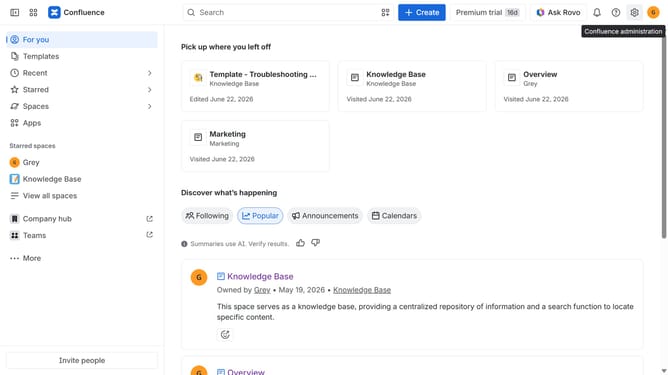
How to unstar a space in Confluence
Here is how to unstar a space in confluence
- First click on "Spaces" in the left sidebar
- Next click on the "View all spaces" option from the pop-up menu
- Then locate the space you want to unstar in the list
- Finally click on the "Star" icon to unstar the space
Why should you unstar a space in Confluence
Confluence is a team collaboration tool used to create, organize, and share content effortlessly.
Unstarring a space in Confluence is a simple feature that helps you declutter and organize your workspace effectively. It allows you to focus on the most relevant spaces by removing ones you no longer need quick access to.
This streamlined approach improves productivity by reducing visual clutter and cognitive load. By regularly reviewing and updating your starred spaces, you ensure that your workspace reflects your current priorities and projects.
Last update