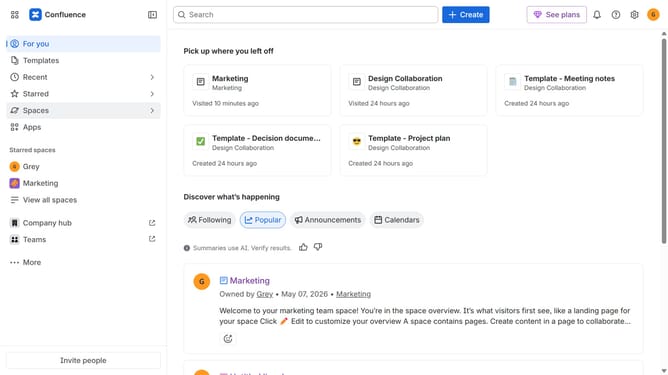
How to show items in the sidebar in Confluence
Here is how to show items in the sidebar in confluence
- First click on "More" button in the sidebar
- Next click on "Customize sidebar"
- Locate the item you want to show in the customize sidebar menu
- Then check the box next to the item
- Finally click on "Save changes" button
Why should you show items in the sidebar in Confluence
Confluence is an intuitive collaboration tool designed to enhance team productivity by providing a shared workspace for knowledge and project management.
One of Confluence's useful features is the ability to show items in the sidebar, which helps streamline navigation and access to essential content.
By customizing your sidebar, you can prioritize frequently used pages and spaces, improving workflow efficiency and keeping your team focused on their key resources.
This feature enhances organizational clarity and ensures that important documents are always at your fingertips, leading to more seamless collaboration.
Last update