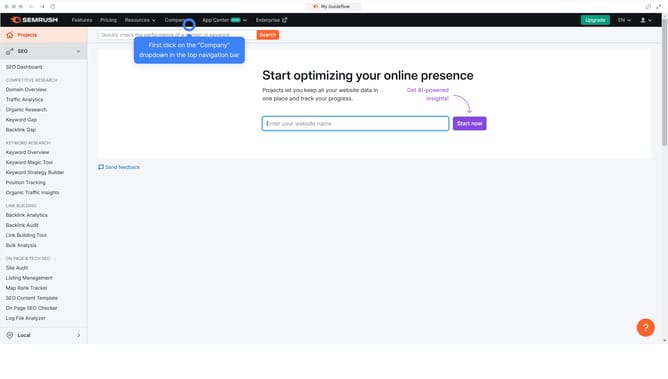
How to see top performing keywords in Semrush
Here is how to see top performing keywords in semrush
- First click on the "SEO" tab in the main navigation menu
- In the left-hand sidebar, click "Organic Research" under the "Competitive Research" section
- Enter your domain in the domain input field
- Click "Search" to open the Organic Research report
- Click "Keywords" to see all organic keywords your site ranks for
- You'll find here the top performing keywords
Why should you see top performing keywords in Semrush
Semrush is a powerhouse tool designed to elevate your digital marketing strategy.
One standout feature of Semrush is the ability to see your top-performing keywords effortlessly.
This feature provides crucial insights, allowing you to identify which keywords drive the most traffic to your site.
Having this knowledge helps refine your content strategy, ensuring you focus efforts on high-impact keywords for better visibility and improved rankings.
Last update