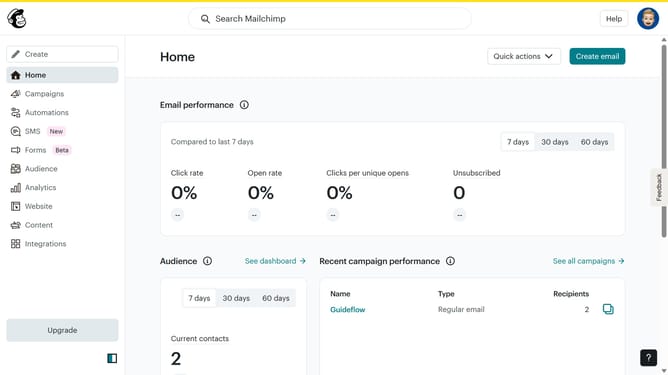
How to schedule a Mailchimp campaign
Here is how to schedule a mailchimp campaign
- First click on the "Create" button in the top navigation bar
- Then click on the "Design Email" button in the Regular email card
- Next click on the "Edit send time" link in the email configuration form
- Finally click on the "Schedule" option in the send time settings dialog
Why should you schedule a Mailchimp campaign
Mailchimp is an intuitive marketing platform that empowers businesses to streamline their email campaigns effortlessly.
One of its standout features is the ability to schedule campaigns. By setting up your emails to be sent at optimal times, you ensure your message reaches your audience when they're most receptive. This strategic approach maximizes engagement and boosts your campaign's effectiveness.
Scheduling also offers the convenience of planning ahead, giving you more control and flexibility over your marketing efforts. It allows for precise targeting and the ability to align your campaign timings with key events or promotions, enhancing overall productivity and reach.
Last update